
Description
#Image Compression #Image Optimization #Batch Compression #Lossless Compression #Portable Software #Windows
4K Image Compressor is a practical tool specifically designed for image size compression and optimization, capable of reducing image file size while maintaining visual quality. The software is quite intuitive to operate; simply add images and set the compression parameters to process them, making it suitable for website image optimization, photo slimming, saving hard disk space, and reducing image upload sizes, among other scenarios. Portable versions typically do not require complex installation and can be used immediately after extraction, making it convenient for temporarily processing large numbers of images.
One feature of 4K Image Compressor is its ability to control output results based on file size or compression ratio. For instance, when needing to compress images to a specified size, parameters can be adjusted according to actual needs. In addition to common formats like JPEG and PNG, it is also suitable for compressing and optimizing modern image formats like WebP.
Quick Image Compression: Reduces file size by re-optimizing image data, achieving smaller image files while maintaining visual quality as much as possible.
Batch Processing: Allows multiple images to be added for processing at once, eliminating the need for manual compression of each image, which is especially convenient when dealing with large numbers of photos or resource images.
Multiple Image Formats: Supports compression for common image formats, including JPEG, PNG, WebP, etc., meeting daily photo and web image optimization needs.
Customizable Compression Parameters: Allows adjustment of image compression levels based on actual usage, finding a suitable balance between image quality and file size.
Compress by Target Size: For scenarios with restrictions on image size for website uploads, email attachments, or platform images, target parameters can be set to ensure image sizes meet usage requirements.
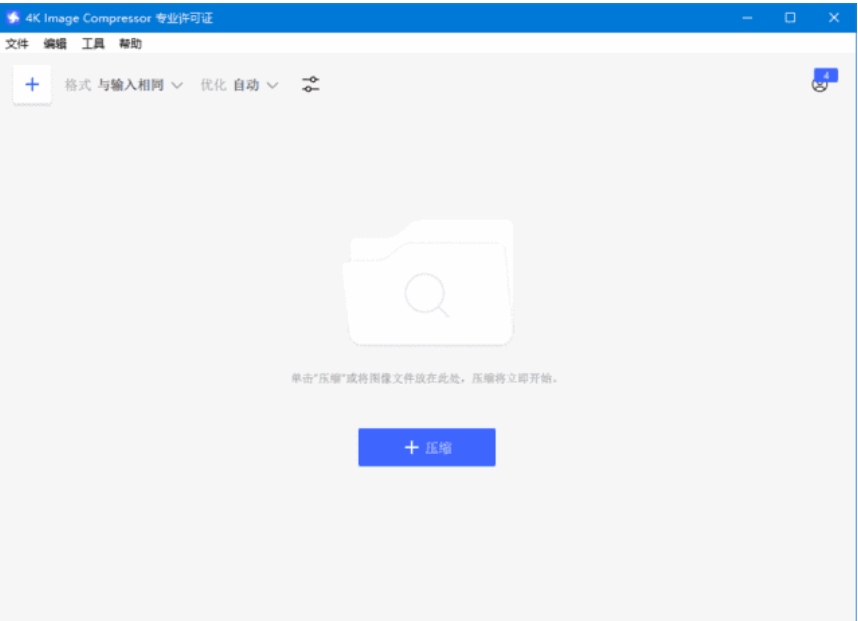
Simple and Easy to Use: The interface and operation process are straightforward; just add the images to be processed, set the compression parameters, and start without needing to master professional image software like Photoshop.
Portable: The portable version emphasizes ready to use after extraction, easy to carry, making it suitable for users who do not wish to perform a standard installation or need to use it on portable storage devices.
4K Image Compressor is a practical tool specifically designed for image size compression and optimization, capable of reducing image file size while maintaining visual quality. The software is quite intuitive to operate; simply add images and set the compression parameters to process them, making it suitable for website image optimization, photo slimming, saving hard disk space, and reducing image upload sizes, among other scenarios. Portable versions typically do not require complex installation and can be used immediately after extraction, making it convenient for temporarily processing large numbers of images.
One feature of 4K Image Compressor is its ability to control output results based on file size or compression ratio. For instance, when needing to compress images to a specified size, parameters can be adjusted according to actual needs. In addition to common formats like JPEG and PNG, it is also suitable for compressing and optimizing modern image formats like WebP.
Software Features
Quick Image Compression: Reduces file size by re-optimizing image data, achieving smaller image files while maintaining visual quality as much as possible.
Batch Processing: Allows multiple images to be added for processing at once, eliminating the need for manual compression of each image, which is especially convenient when dealing with large numbers of photos or resource images.
Multiple Image Formats: Supports compression for common image formats, including JPEG, PNG, WebP, etc., meeting daily photo and web image optimization needs.
Customizable Compression Parameters: Allows adjustment of image compression levels based on actual usage, finding a suitable balance between image quality and file size.
Compress by Target Size: For scenarios with restrictions on image size for website uploads, email attachments, or platform images, target parameters can be set to ensure image sizes meet usage requirements.
Simple and Easy to Use: The interface and operation process are straightforward; just add the images to be processed, set the compression parameters, and start without needing to master professional image software like Photoshop.
Portable: The portable version emphasizes ready to use after extraction, easy to carry, making it suitable for users who do not wish to perform a standard installation or need to use it on portable storage devices.
Screenshots
Tags:Image Compression