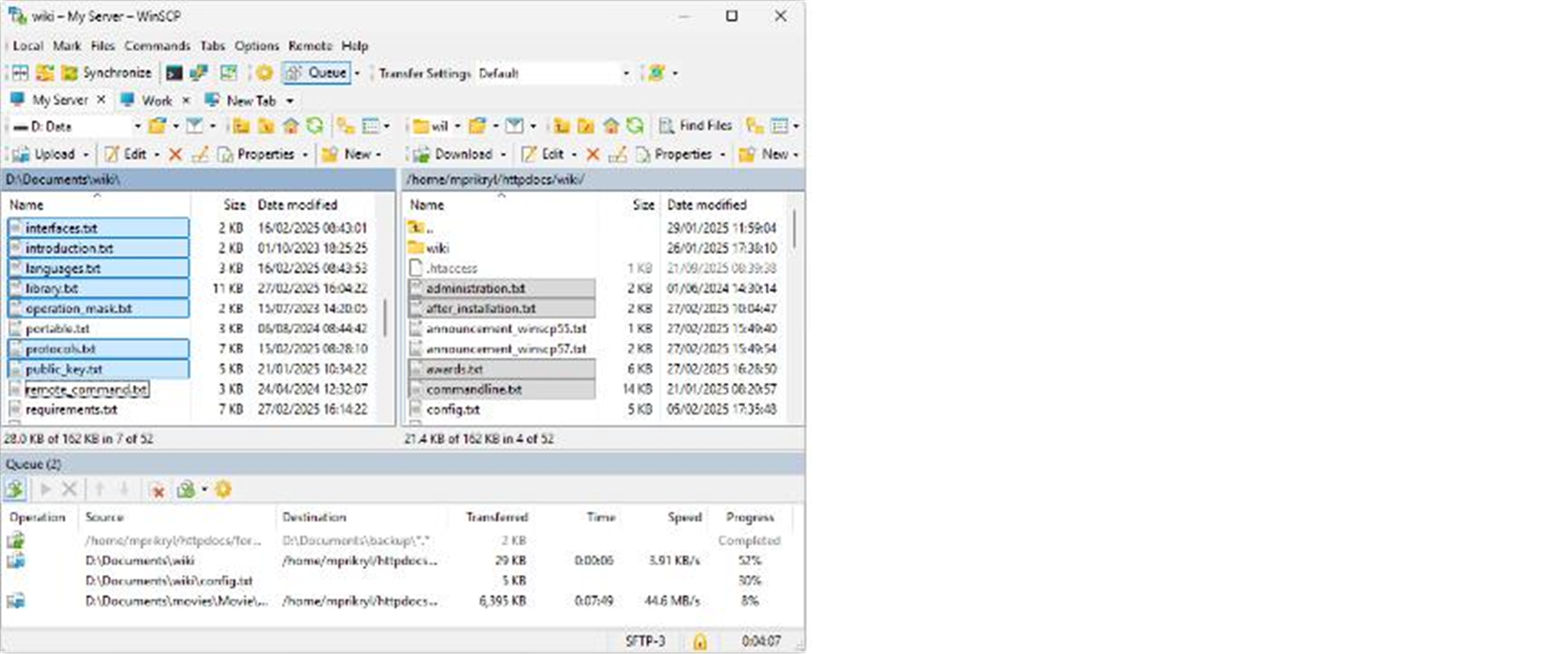
Description
Sending files to a server over the command line means typing out long scp paths, and one wrong directory sends you back to the start — with no view of progress across a batch. WinSCP turns it into two panes you drag between: local on the left, server on the right, drop a file across and it uploads.
It speaks SFTP, SCP, FTP, FTPS, WebDAV and S3, and saves each connection as a site you reopen with one click. Open-source, free, built for Windows.
Two-pane drag transfer: the Commander layout puts local on the left and remote on the right, dragging files across like Explorer; an Explorer single-pane mode is there too.
Many protocols: SFTP and SCP over SSH, plus FTP, FTPS, WebDAV and Amazon S3, so one client reaches all kinds of servers.
Site management: host, port, key and directory are saved into a site you reconnect to with a double-click, with SSH-key and jump-host authentication supported.
Built-in editor and sync: double-click a remote file to edit it and it uploads on save; directory synchronization keeps local and server matched, sending only what changed.
Scripting and CLI: a .NET assembly and command-line interface let you script uploads into a deploy or CI pipeline for automated releases.
It speaks SFTP, SCP, FTP, FTPS, WebDAV and S3, and saves each connection as a site you reopen with one click. Open-source, free, built for Windows.
Features
Two-pane drag transfer: the Commander layout puts local on the left and remote on the right, dragging files across like Explorer; an Explorer single-pane mode is there too.
Many protocols: SFTP and SCP over SSH, plus FTP, FTPS, WebDAV and Amazon S3, so one client reaches all kinds of servers.
Site management: host, port, key and directory are saved into a site you reconnect to with a double-click, with SSH-key and jump-host authentication supported.
Built-in editor and sync: double-click a remote file to edit it and it uploads on save; directory synchronization keeps local and server matched, sending only what changed.
Scripting and CLI: a .NET assembly and command-line interface let you script uploads into a deploy or CI pipeline for automated releases.