Description
After an hour-long meeting, writing up the notes is the least appealing part of the day. Most meeting transcription tools want the whole recording uploaded to their cloud — internal discussions, a client’s pricing, plans that have not been announced. Sending that out never quite sits right.
Soufflé keeps the entire process on the machine. Transcription, summaries and audio all happen on your own Mac: no network, no account, no API key, with everything in a local database you can export or delete whenever you want.
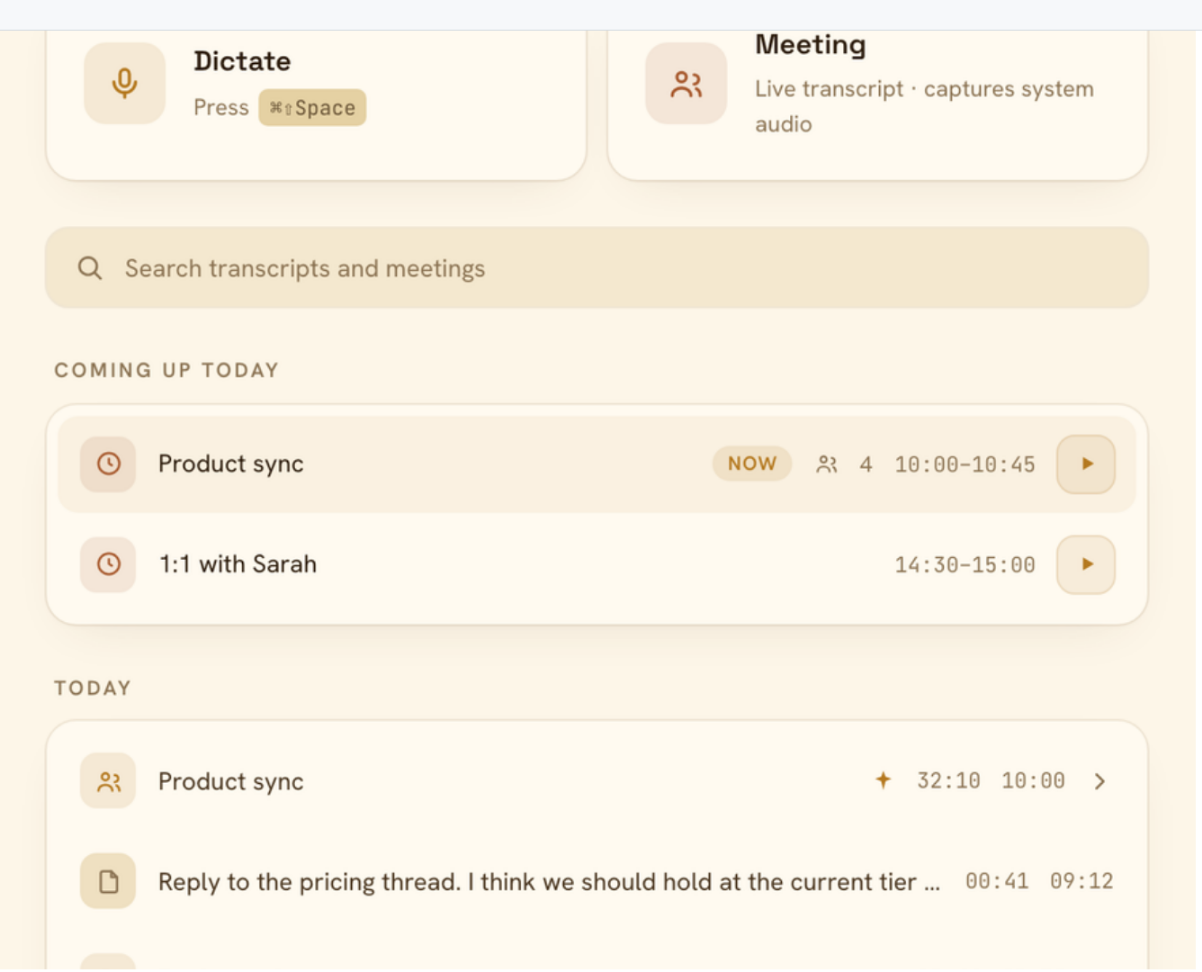
The meeting mode is worth describing. System-audio capture splits what you said from what everyone else said into two streams in the transcript, and it needs no virtual audio device installed. The recording largely runs itself: it offers to start when a calendar meeting begins, works out when the conversation is over and warns you before stopping, closes cleanly when the Mac sleeps and asks whether to resume on wake.
The other half is dictation. Press the shortcut, a small pill appears on screen, and when you stop talking the text lands in whatever field your cursor was already in — a chat window, an email, an editor, a terminal. The pill is excluded from screen capture, so it never shows up in the call you are on.
Local transcription: Choose Whisper Large V3 Turbo (multilingual, around 1.6 GB, Metal accelerated) or Parakeet TDT 0.6B v3 (25 languages with punctuation and capitalisation, around 670 MB, ONNX on CPU); the default model streams text as you speak.
You versus them: System-audio capture records you and the other participants as separate streams with no virtual audio device to install (macOS 14.4 or newer; earlier versions capture the microphone only).
On-device summaries: Written by Apple Intelligence on macOS 26 and later or by a local Ollama, pulling out decisions, action items with their owners, and the questions nobody answered.
Dictation anywhere: The shortcut brings up the pill and the text goes straight into the current field, inserted via clipboard paste, simulated typing or a direct Accessibility write — so terminals and secure fields that reject a paste still work.
Polish before it lands: An optional local model pass tidies the phrasing, with templates for cleaning up fillers, turning it into a professional email or reducing it to bullet points, all editable.
Corrections that stick: Fix a misheard name once and it keeps that spelling from then on, in a custom dictionary you can also edit by hand.
Replayable audio: Recordings are optional and stored as compact Opus files kept for 7 days, 30 days or until you delete them, with click-to-seek from any line of the transcript.
MCP server: A built-in MCP server exposes the transcripts to AI assistants.
Soufflé keeps the entire process on the machine. Transcription, summaries and audio all happen on your own Mac: no network, no account, no API key, with everything in a local database you can export or delete whenever you want.
The meeting mode is worth describing. System-audio capture splits what you said from what everyone else said into two streams in the transcript, and it needs no virtual audio device installed. The recording largely runs itself: it offers to start when a calendar meeting begins, works out when the conversation is over and warns you before stopping, closes cleanly when the Mac sleeps and asks whether to resume on wake.
The other half is dictation. Press the shortcut, a small pill appears on screen, and when you stop talking the text lands in whatever field your cursor was already in — a chat window, an email, an editor, a terminal. The pill is excluded from screen capture, so it never shows up in the call you are on.
Features
Local transcription: Choose Whisper Large V3 Turbo (multilingual, around 1.6 GB, Metal accelerated) or Parakeet TDT 0.6B v3 (25 languages with punctuation and capitalisation, around 670 MB, ONNX on CPU); the default model streams text as you speak.
You versus them: System-audio capture records you and the other participants as separate streams with no virtual audio device to install (macOS 14.4 or newer; earlier versions capture the microphone only).
On-device summaries: Written by Apple Intelligence on macOS 26 and later or by a local Ollama, pulling out decisions, action items with their owners, and the questions nobody answered.
Dictation anywhere: The shortcut brings up the pill and the text goes straight into the current field, inserted via clipboard paste, simulated typing or a direct Accessibility write — so terminals and secure fields that reject a paste still work.
Polish before it lands: An optional local model pass tidies the phrasing, with templates for cleaning up fillers, turning it into a professional email or reducing it to bullet points, all editable.
Corrections that stick: Fix a misheard name once and it keeps that spelling from then on, in a custom dictionary you can also edit by hand.
Replayable audio: Recordings are optional and stored as compact Opus files kept for 7 days, 30 days or until you delete them, with click-to-seek from any line of the transcript.
MCP server: A built-in MCP server exposes the transcripts to AI assistants.