Description
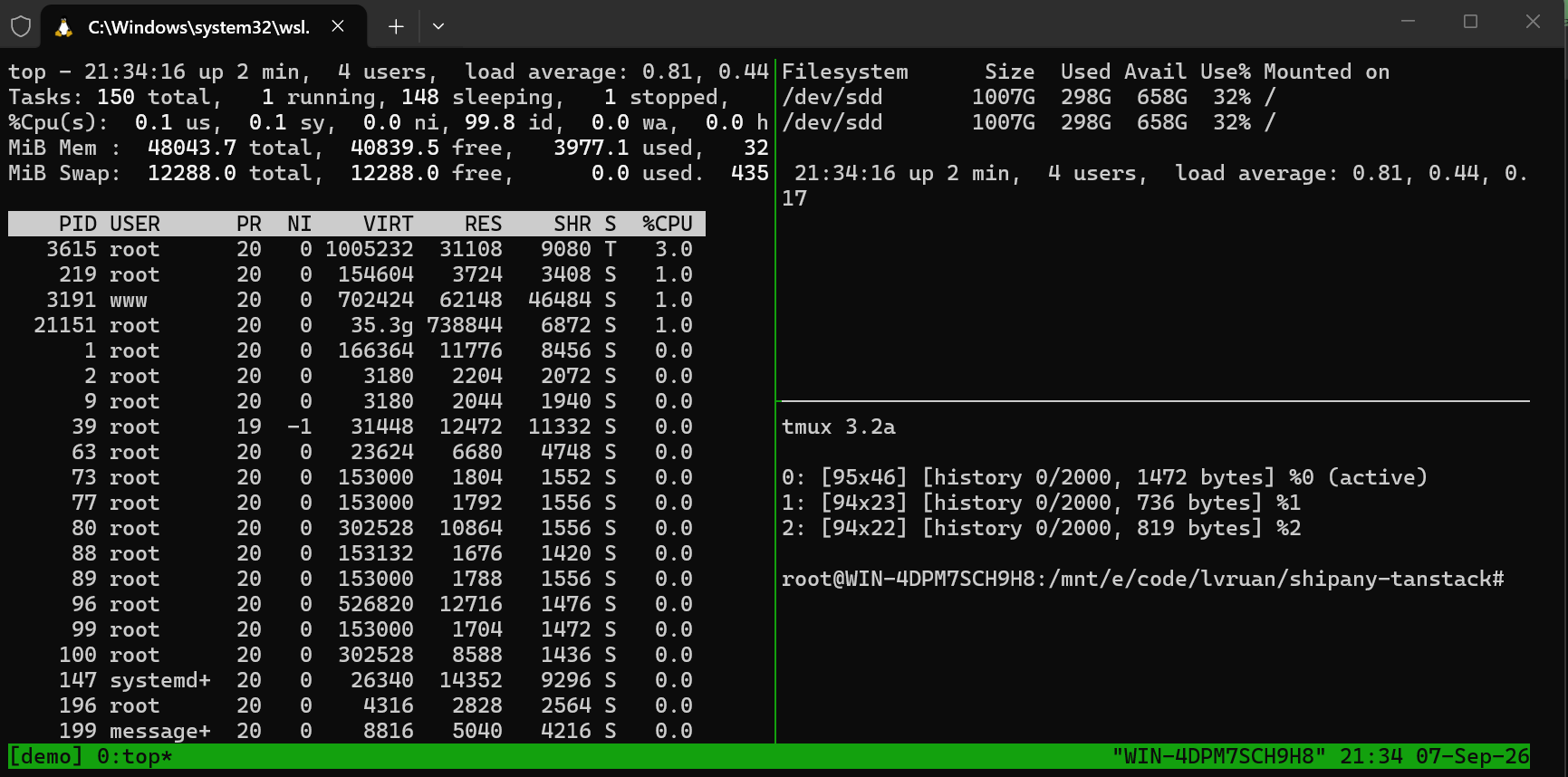
tmux is a terminal multiplexer. It does two things: it divides one terminal window into multiple windows and panes, and — the more important one — it lets those sessions exist independently of the terminal attached to them.
That second point is what makes it hard to replace. Run a job that takes hours on a server and the moment SSH drops, the process gets a hangup signal and dies, wasting everything so far. Start a tmux session first and the picture changes completely: you can detach and walk away, or simply close the laptop, while the session and its processes keep running on the server. Reconnect later, attach, and the screen is exactly as you left it.
It does not do the connecting — that is SSH’s job. tmux runs on whichever machine you type tmux on: locally it is a local multiplexer, and started on a server the session lives on that server. Splitting panes for a few local processes works just as well; the reconnect-after-a-dropped-link case is simply the one people remember.
Persistent sessions: A session outlives the terminal attached to it, so processes keep running after you detach, you can reattach from another machine, and a network drop leaves the work untouched.
Windows and panes: One session holds several windows, and each window splits horizontally or vertically into panes, putting the output of several processes on screen side by side.
Status line: A status bar sits at the bottom showing the session name, window list, hostname and time, with its format and contents configurable.
Copy mode: Enter copy mode to scroll back through history, search by keyword and select text to copy — all from the keyboard, with no reaching for a scrollbar.
Shared sessions: Two people can attach to the same session and see the same screen, which suits pair debugging or walking someone through a problem.
Scriptable: Every action has a command behind it, so one script can lay out all the windows, panes and commands a project needs in a single step.
Configurable: The prefix key, key bindings and appearance are all set in a config file, so the default Ctrl-b can be swapped for something you prefer.
That second point is what makes it hard to replace. Run a job that takes hours on a server and the moment SSH drops, the process gets a hangup signal and dies, wasting everything so far. Start a tmux session first and the picture changes completely: you can detach and walk away, or simply close the laptop, while the session and its processes keep running on the server. Reconnect later, attach, and the screen is exactly as you left it.
It does not do the connecting — that is SSH’s job. tmux runs on whichever machine you type tmux on: locally it is a local multiplexer, and started on a server the session lives on that server. Splitting panes for a few local processes works just as well; the reconnect-after-a-dropped-link case is simply the one people remember.
Features
Persistent sessions: A session outlives the terminal attached to it, so processes keep running after you detach, you can reattach from another machine, and a network drop leaves the work untouched.
Windows and panes: One session holds several windows, and each window splits horizontally or vertically into panes, putting the output of several processes on screen side by side.
Status line: A status bar sits at the bottom showing the session name, window list, hostname and time, with its format and contents configurable.
Copy mode: Enter copy mode to scroll back through history, search by keyword and select text to copy — all from the keyboard, with no reaching for a scrollbar.
Shared sessions: Two people can attach to the same session and see the same screen, which suits pair debugging or walking someone through a problem.
Scriptable: Every action has a command behind it, so one script can lay out all the windows, panes and commands a project needs in a single step.
Configurable: The prefix key, key bindings and appearance are all set in a config file, so the default Ctrl-b can be swapped for something you prefer.