
Description
Adobe Acrobat Reader is the official reader for PDF. Adobe defined the format, so files that other software renders badly — ones with unusual embedded fonts, interactive forms, or digital signatures — generally open correctly here.
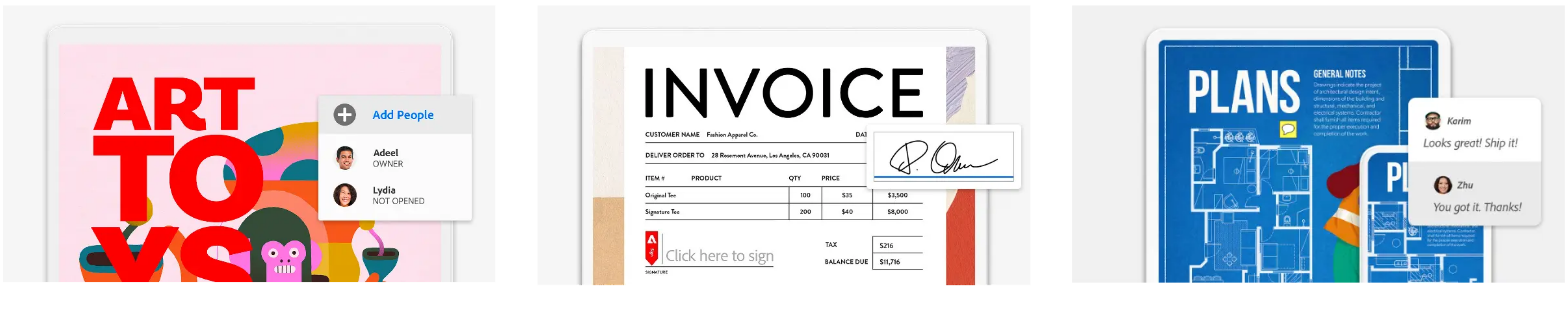
The free version does more than display: you can mark up a document, leave comments, fill in forms, sign it, and send it out to collect other people’s notes. Editing the actual text, merging and splitting files, or converting to Word belong to the paid Acrobat, and the free version will keep reminding you of that — worth knowing going in.
Reading and rendering: Complex layouts, embedded fonts and high-resolution graphics come out most faithfully here, and a file looks the same across devices.
Annotation: Highlight, underline, attach sticky notes and draw shapes, so review comments sit right next to the text they refer to.
Form filling: Interactive PDF forms can be completed and saved or submitted directly, with no printing, writing and scanning in between.
Signing: Draw a signature or drop in an image of one, and verify whether digital signatures already in a file are valid.
Shared review: Send a document out to gather feedback, with everyone’s comments collected into the same copy.
Cross-platform: Versions exist for Windows, macOS, Android and iOS, and signing in carries your reading position between devices.
The free version does more than display: you can mark up a document, leave comments, fill in forms, sign it, and send it out to collect other people’s notes. Editing the actual text, merging and splitting files, or converting to Word belong to the paid Acrobat, and the free version will keep reminding you of that — worth knowing going in.
Features
Reading and rendering: Complex layouts, embedded fonts and high-resolution graphics come out most faithfully here, and a file looks the same across devices.
Annotation: Highlight, underline, attach sticky notes and draw shapes, so review comments sit right next to the text they refer to.
Form filling: Interactive PDF forms can be completed and saved or submitted directly, with no printing, writing and scanning in between.
Signing: Draw a signature or drop in an image of one, and verify whether digital signatures already in a file are valid.
Shared review: Send a document out to gather feedback, with everyone’s comments collected into the same copy.
Cross-platform: Versions exist for Windows, macOS, Android and iOS, and signing in carries your reading position between devices.
Screenshots
Tags:PDF Reader