Description
< #Scheduling #Meeting Booking #Calendly Alternative #Self-hosted #Open Source Cal.com #Open Source
Cal.diy is the community open-source edition of Cal.com — where the github.com/calcom/cal.com repository now leads. All enterprise code has been stripped out and the entire codebase is MIT licensed. The positioning is plain: an open-source alternative to Calendly, which bills per seat every month, while this one costs nothing to run yourself for personal use.
The problem it solves is the back and forth of finding a time: publish your available slots as a link, let the other person pick an opening, and have the calendar entry and notifications happen automatically, so nothing has to be confirmed over email. It is built on Next.js, tRPC, Prisma and PostgreSQL and runs on your own server.
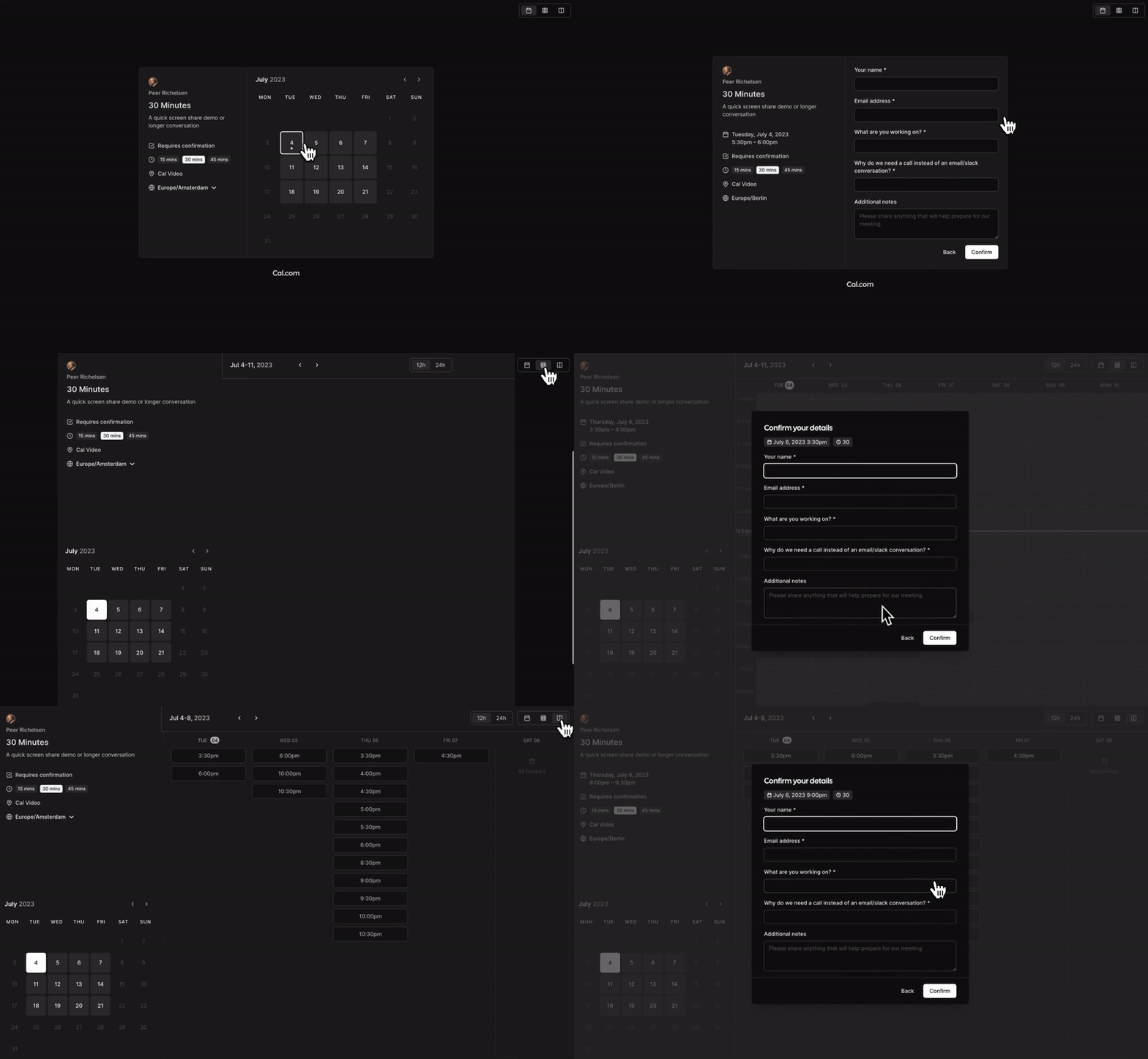
Booking links: turn your availability into a public page where someone picks a slot and fills in their details, removing the exchange of messages about timing.
Calendar integration: connect your calendar so existing events are read to avoid conflicts and confirmed bookings are written back automatically.
Meeting links generated: video conferencing integrations create the meeting URL when a booking is confirmed and send it to both sides.
No license key: there are no enterprise feature gates, no Cal.com account and no license key — installing it gives you everything.
Fully MIT licensed: this is not an open-core split; the whole codebase is MIT, with Teams, Organizations, Insights, Workflows and SSO/SAML removed as enterprise-only features.
Self-hosted: Node.js 18+ and PostgreSQL 13+ are required, and cloning the repository with the right environment variables is enough to run it; there is no hosted version of this edition.
Optional integrations: third-party integrations are enabled as needed, each requiring its own credentials as documented.
Community maintained: contributions land in this project directly instead of being routed into a commercial repository.
Open source project: the source is hosted on GitHub for developers to review, contribute to, or customize. Note the project's own warning: self-hosting expects experience with server administration, databases and securing sensitive data, and it is recommended for personal, non-production use — commercial and enterprise deployments should use Cal.com itself.
Cal.diy is the community open-source edition of Cal.com — where the github.com/calcom/cal.com repository now leads. All enterprise code has been stripped out and the entire codebase is MIT licensed. The positioning is plain: an open-source alternative to Calendly, which bills per seat every month, while this one costs nothing to run yourself for personal use.
The problem it solves is the back and forth of finding a time: publish your available slots as a link, let the other person pick an opening, and have the calendar entry and notifications happen automatically, so nothing has to be confirmed over email. It is built on Next.js, tRPC, Prisma and PostgreSQL and runs on your own server.
Features
Booking links: turn your availability into a public page where someone picks a slot and fills in their details, removing the exchange of messages about timing.
Calendar integration: connect your calendar so existing events are read to avoid conflicts and confirmed bookings are written back automatically.
Meeting links generated: video conferencing integrations create the meeting URL when a booking is confirmed and send it to both sides.
No license key: there are no enterprise feature gates, no Cal.com account and no license key — installing it gives you everything.
Fully MIT licensed: this is not an open-core split; the whole codebase is MIT, with Teams, Organizations, Insights, Workflows and SSO/SAML removed as enterprise-only features.
Self-hosted: Node.js 18+ and PostgreSQL 13+ are required, and cloning the repository with the right environment variables is enough to run it; there is no hosted version of this edition.
Optional integrations: third-party integrations are enabled as needed, each requiring its own credentials as documented.
Community maintained: contributions land in this project directly instead of being routed into a commercial repository.
Open source project: the source is hosted on GitHub for developers to review, contribute to, or customize. Note the project's own warning: self-hosting expects experience with server administration, databases and securing sensitive data, and it is recommended for personal, non-production use — commercial and enterprise deployments should use Cal.com itself.