Description
The few dozen repeated actions each day — typing the same header, pasting the same signature, clicking the same menus — add up to real time. AutoHotkey hands them to a script: a few lines bind a whole sequence to one hotkey that runs it for you.
Open-source and free, on Windows, with syntax simple enough to adapt from examples without programming experience.
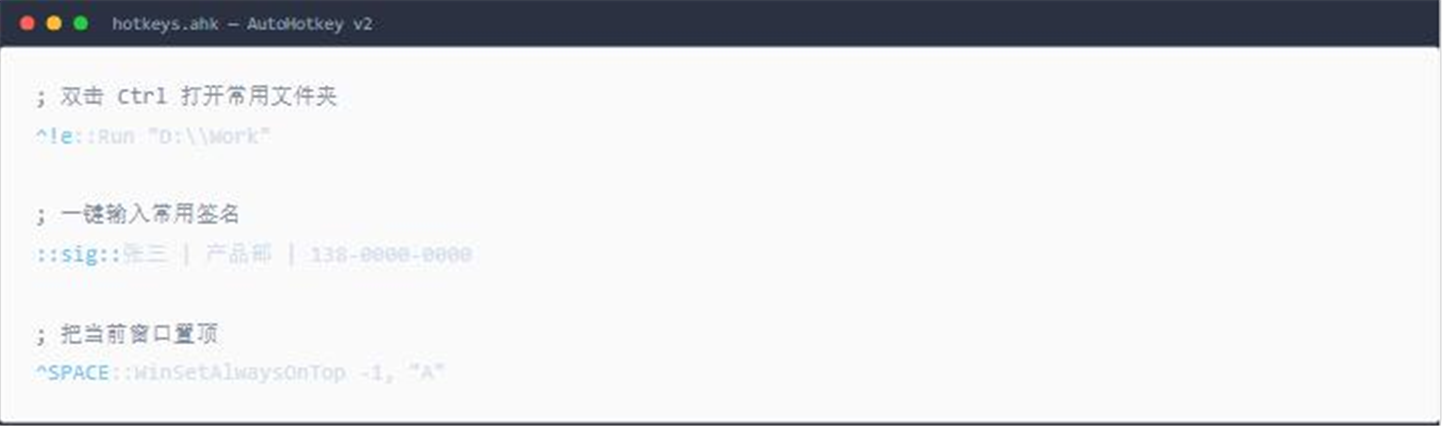
Custom hotkeys: bind any key combination to an action — open a folder, launch a program, switch windows, adjust volume — compressing routine steps into one keypress.
Text expansion: a few letters expand into a full block of text, so signatures, addresses, stock phrases and email templates stop being retyped.
Simulated input: scripts move the mouse, click and type, turning a multi-step routine into a single command.
Window control: pin, move, resize and hide specific windows to arrange a multi-window workspace the way you prefer.
Compile and share: a finished script compiles to a standalone exe that colleagues can run without installing AutoHotkey themselves.
Open-source and free, on Windows, with syntax simple enough to adapt from examples without programming experience.
Features
Custom hotkeys: bind any key combination to an action — open a folder, launch a program, switch windows, adjust volume — compressing routine steps into one keypress.
Text expansion: a few letters expand into a full block of text, so signatures, addresses, stock phrases and email templates stop being retyped.
Simulated input: scripts move the mouse, click and type, turning a multi-step routine into a single command.
Window control: pin, move, resize and hide specific windows to arrange a multi-window workspace the way you prefer.
Compile and share: a finished script compiles to a standalone exe that colleagues can run without installing AutoHotkey themselves.