Description
That flowchart in your docs took half an hour of dragging boxes into alignment. Three months later it needs one more branch, which means digging up the source file — wherever that ended up — and if you cannot find it, the diagram simply stops being updated. It stays on the page quietly lying about how the system works.
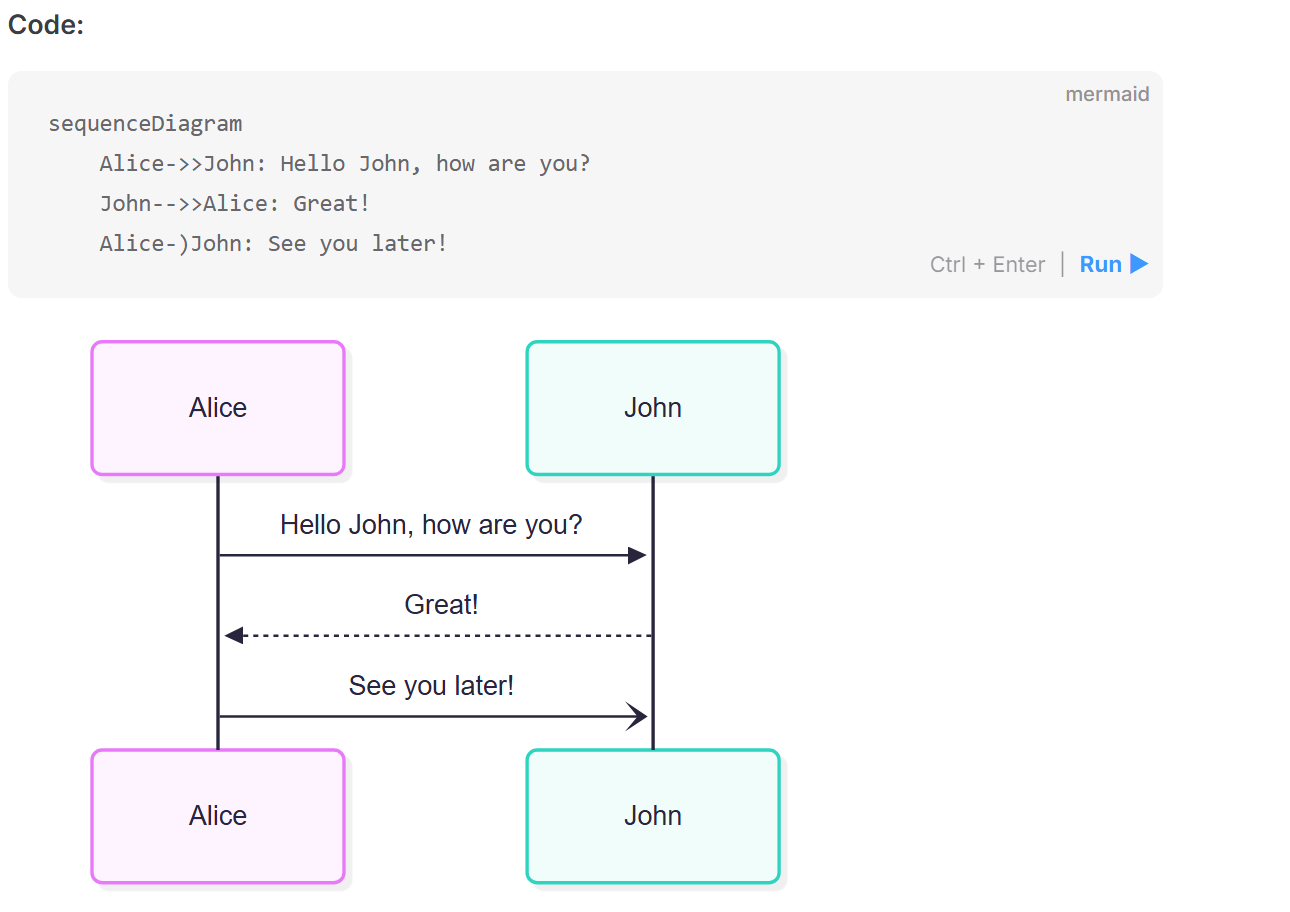
Mermaid takes a different route: you write the diagram as text. A handful of declarations like A --> B render as a flowchart, with the layout engine deciding where nodes sit and how edges route. You describe relationships, nothing else. The diagram lives where the code lives — in a fenced Markdown block, in version control, with every changed edge visible in the diff. GitHub, GitLab, Notion, Obsidian and VS Code render mermaid blocks natively, no plugin required. MIT licensed.
Over twenty diagram types: flowchart, sequence, class, state, ER, user journey, Gantt, pie, quadrant, requirement, Git graph, mindmap, timeline, Sankey, XY chart, kanban, architecture, C4, radar, treemap and packet. Each has its own syntax, but the mental model never changes: declare the nodes, then declare the relationships.
Renders straight from Markdown: a fenced block tagged mermaid renders as a diagram in GitHub READMEs, issues and pull request descriptions. Reviewers stop clicking through to an external image host, and the diagram can never drift out of sync with the file it ships in.
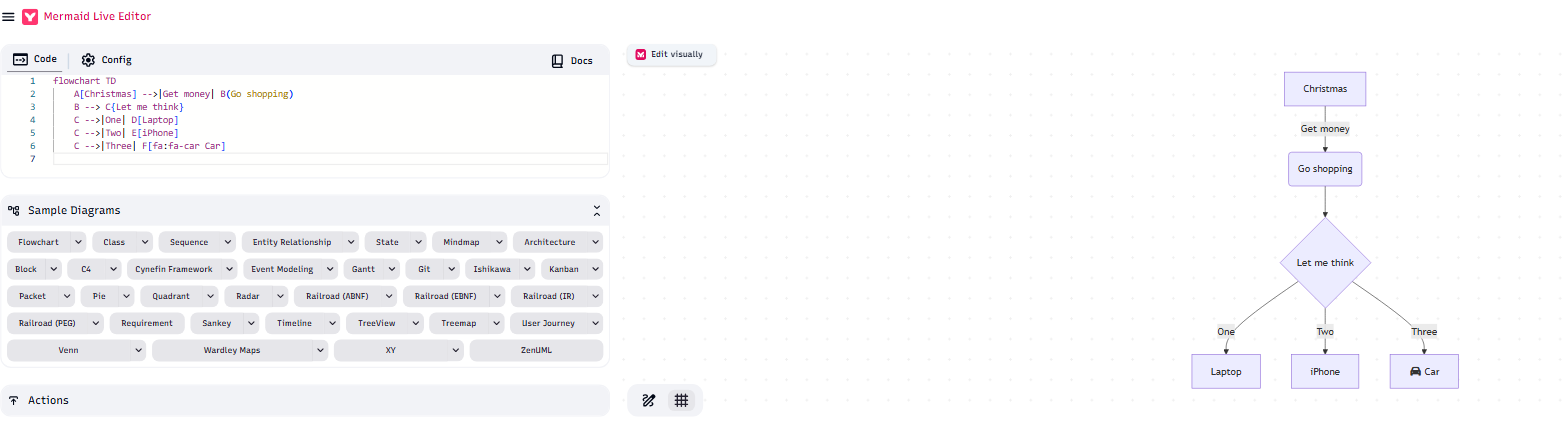
Live editor: mermaid.live puts code on the left and a live rendering on the right, no account needed, re-laying out on every keystroke. The share link encodes the whole diagram in the URL, so a colleague can open it and keep editing without a file changing hands.
Themes and styling: default, forest, dark and neutral ship built in, and colors, fonts, edge curvature and node spacing can all be overridden. The dark theme follows a docs site into dark mode instead of leaving a glaring white diagram stranded on a black page.
Embed it in your own pages: pull in the library, initialize it, and every element tagged mermaid renders itself. Or call the render API for an SVG string and decide yourself where it goes and what happens to it first.
Plain text, made for version control: the diagram is code, so it diffs, reviews and merges like everything else, and no binary image has to live in the repository. Git blame will tell you who added which node, and in which commit.
Batch rendering from the CLI: the official command-line tool turns mmd files into SVG, PNG or PDF. Wire it into CI and the documentation's diagrams regenerate with the code, instead of quietly staying six months behind it.
Mermaid takes a different route: you write the diagram as text. A handful of declarations like A --> B render as a flowchart, with the layout engine deciding where nodes sit and how edges route. You describe relationships, nothing else. The diagram lives where the code lives — in a fenced Markdown block, in version control, with every changed edge visible in the diff. GitHub, GitLab, Notion, Obsidian and VS Code render mermaid blocks natively, no plugin required. MIT licensed.
Features
Over twenty diagram types: flowchart, sequence, class, state, ER, user journey, Gantt, pie, quadrant, requirement, Git graph, mindmap, timeline, Sankey, XY chart, kanban, architecture, C4, radar, treemap and packet. Each has its own syntax, but the mental model never changes: declare the nodes, then declare the relationships.
Renders straight from Markdown: a fenced block tagged mermaid renders as a diagram in GitHub READMEs, issues and pull request descriptions. Reviewers stop clicking through to an external image host, and the diagram can never drift out of sync with the file it ships in.
Live editor: mermaid.live puts code on the left and a live rendering on the right, no account needed, re-laying out on every keystroke. The share link encodes the whole diagram in the URL, so a colleague can open it and keep editing without a file changing hands.
Themes and styling: default, forest, dark and neutral ship built in, and colors, fonts, edge curvature and node spacing can all be overridden. The dark theme follows a docs site into dark mode instead of leaving a glaring white diagram stranded on a black page.
Embed it in your own pages: pull in the library, initialize it, and every element tagged mermaid renders itself. Or call the render API for an SVG string and decide yourself where it goes and what happens to it first.
Plain text, made for version control: the diagram is code, so it diffs, reviews and merges like everything else, and no binary image has to live in the repository. Git blame will tell you who added which node, and in which commit.
Batch rendering from the CLI: the official command-line tool turns mmd files into SVG, PNG or PDF. Wire it into CI and the documentation's diagrams regenerate with the code, instead of quietly staying six months behind it.