
Description
The Windows photo screensaver takes one folder, has one transition, and cannot see pictures on a network share.
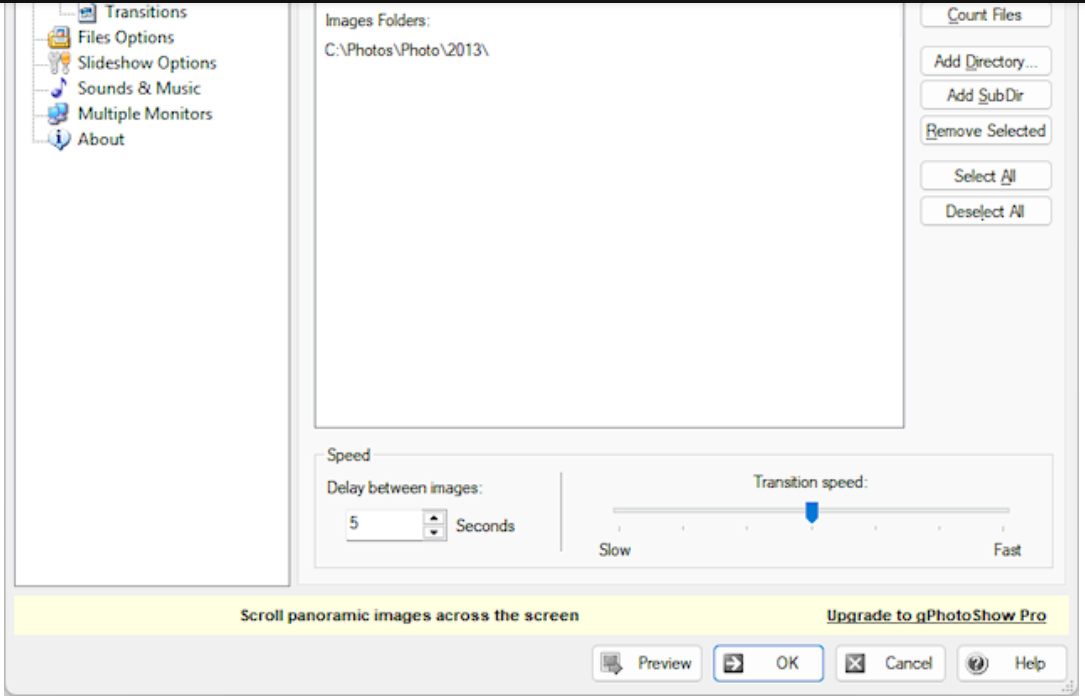
gPhotoShow Free shows up in the screensaver list after install; pick it, open settings: add as many folders as you like, local or network paths, subfolders included automatically. Photos play randomly or in order, and how long each stays, which transition plays, and whether small images are enlarged to full screen are all in one settings window. A line of filename or camera info can be overlaid, and multiple monitors are supported.
The free edition is the complete screensaver; Pro adds advanced effects and music. The installer is 7 MB.
Multiple folder sources: add local and network folders freely, with recursive subfolder scanning.
Playback control: random or sequential order, adjustable delay and transition speed.
Scaling: enlarge small images to the screen, shrink large ones, fill mismatched ratios with a background colour.
Info overlay: show filename, date, camera details and more.
Multi-monitor: plays on every screen.
File cache: version 2.1 adds a cache status window and fixes the unsaved cache that caused repeated images.
gPhotoShow Free shows up in the screensaver list after install; pick it, open settings: add as many folders as you like, local or network paths, subfolders included automatically. Photos play randomly or in order, and how long each stays, which transition plays, and whether small images are enlarged to full screen are all in one settings window. A line of filename or camera info can be overlaid, and multiple monitors are supported.
The free edition is the complete screensaver; Pro adds advanced effects and music. The installer is 7 MB.
Features
Multiple folder sources: add local and network folders freely, with recursive subfolder scanning.
Playback control: random or sequential order, adjustable delay and transition speed.
Scaling: enlarge small images to the screen, shrink large ones, fill mismatched ratios with a background colour.
Info overlay: show filename, date, camera details and more.
Multi-monitor: plays on every screen.
File cache: version 2.1 adds a cache status window and fixes the unsaved cache that caused repeated images.
Screenshots
Tags:screensaver