Description
< #macOS #Game Streaming #Network Tuning #Moonlight #Menu Bar App #Open Source
Full signal, plenty of bandwidth, and the stream still hitches every few seconds — the cause may be the Mac itself. AWDL, the peer-to-peer Wi-Fi interface behind AirDrop and Continuity, shares one radio with your connection to the router, and its discovery and communication schedule can take that radio to another channel while ordinary packets wait. Stop Stutter holds AWDL down while you play, removing that source of contention.
It fits anyone streaming to a Mac through Moonlight, GeForce NOW, Parsec, Steam Link or Punktfunk. The workaround normally means repeating a Terminal command, and macOS brings the interface back up on its own; this app turns it into something that starts with your game and ends when you quit.
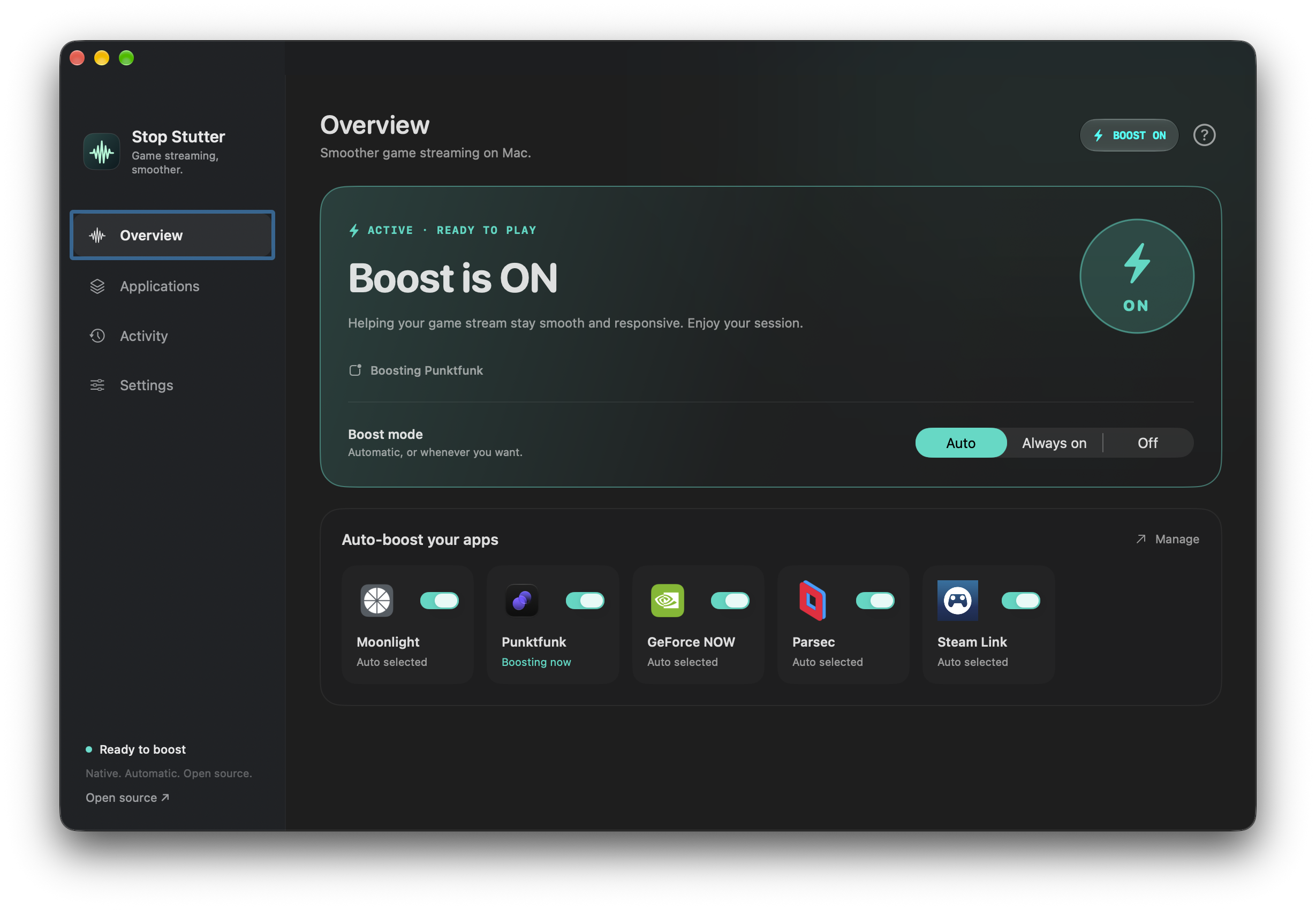
Follows your apps: Moonlight, GeForce NOW, Punktfunk, Parsec and Steam Link ship as presets, boost begins the moment a selected app launches and AWDL is restored after the last one quits; any other .app can be added, matched by bundle identifier so renaming or moving it does not break the rule.
Re-applied every second: while boost is active the helper repeats the command that takes awdl0 down once per second, because macOS can bring the interface back up by itself.
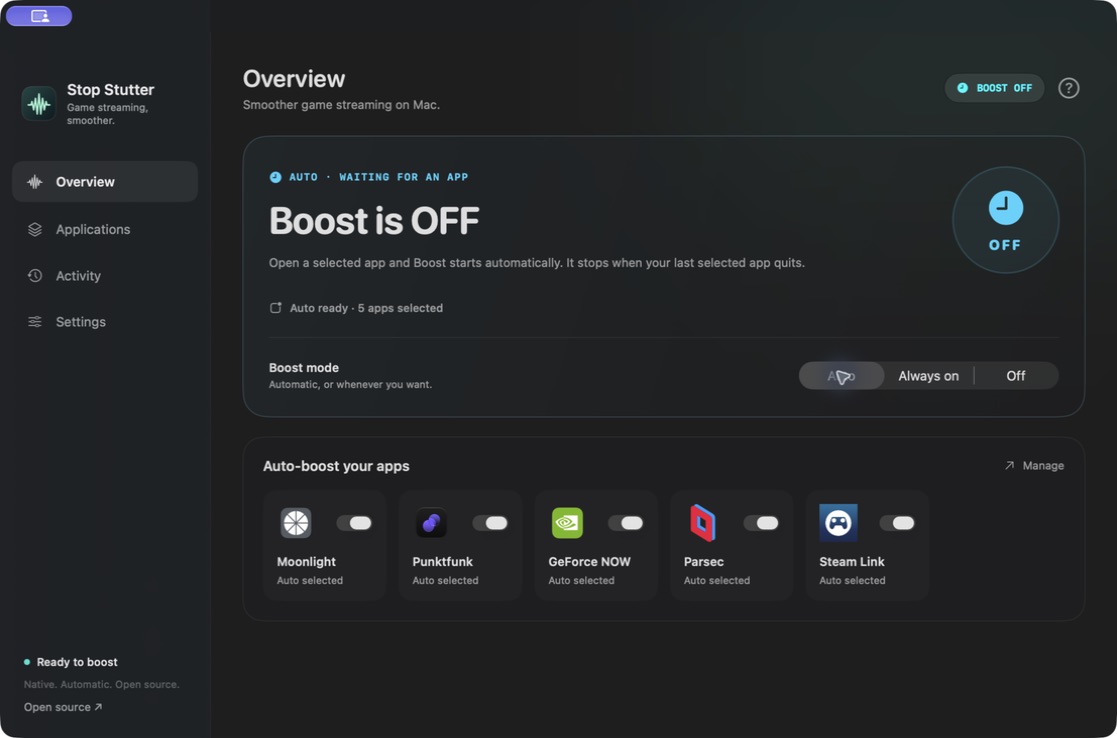
Three modes: Auto follows your selected apps, Always on holds AWDL off until you say otherwise, and Off releases control and pauses the automation.
Status you can read: green means a verified active session, blue means waiting for the next app launch, gray means automation is paused, and setup, transitions and errors each carry their own label — a selected mode is never treated as proof that AWDL is actually off.
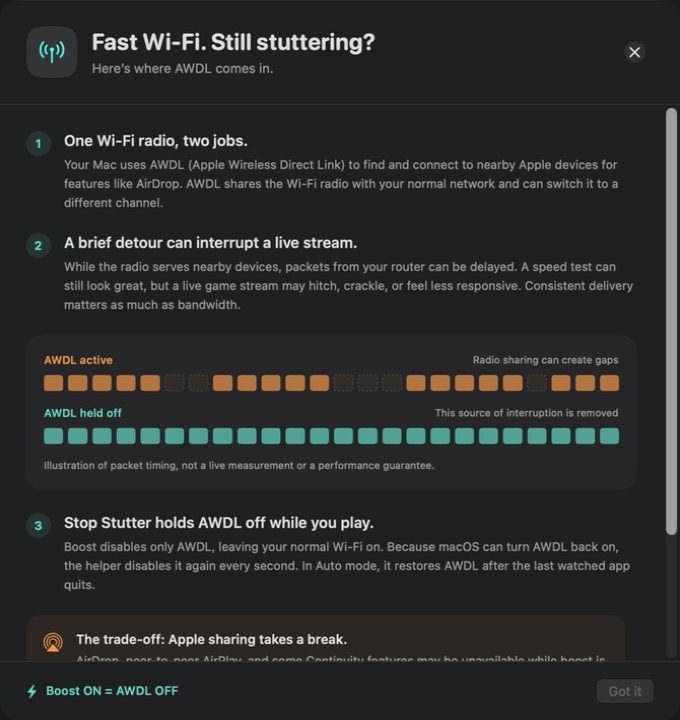
The explanation is built in: the help panel covers why AWDL can cause lag, what boost does about it, and what happens to AirDrop and Continuity meanwhile, illustrated with a packet-arrival comparison.
Restrained privileges: instead of a passwordless sudo rule it registers a small privileged helper through Apple's SMAppService; both ends validate code signature, identifier and signing team, and only a boolean crosses the XPC channel — no command strings, no executable paths.
Recovery built in: a six-second lease renewed every two seconds, immediate release on disconnect, and a durable recovery marker keep AWDL from being left off after a crash.
Quiet menu bar companion: close the main window and boost keeps running, launch at login is optional, and notifications appear only when a session starts, ends or needs attention — never with a sound over your stream.
No accounts or tracking: no sign-up, no analytics, no ads and no dependencies; app choices live in local preferences and activity history exists only in memory.
Open source project: the source code is hosted on GitHub, so developers can review the implementation, contribute, or customize it for their own needs.
Full signal, plenty of bandwidth, and the stream still hitches every few seconds — the cause may be the Mac itself. AWDL, the peer-to-peer Wi-Fi interface behind AirDrop and Continuity, shares one radio with your connection to the router, and its discovery and communication schedule can take that radio to another channel while ordinary packets wait. Stop Stutter holds AWDL down while you play, removing that source of contention.
It fits anyone streaming to a Mac through Moonlight, GeForce NOW, Parsec, Steam Link or Punktfunk. The workaround normally means repeating a Terminal command, and macOS brings the interface back up on its own; this app turns it into something that starts with your game and ends when you quit.
Features
Follows your apps: Moonlight, GeForce NOW, Punktfunk, Parsec and Steam Link ship as presets, boost begins the moment a selected app launches and AWDL is restored after the last one quits; any other .app can be added, matched by bundle identifier so renaming or moving it does not break the rule.
Re-applied every second: while boost is active the helper repeats the command that takes awdl0 down once per second, because macOS can bring the interface back up by itself.
Three modes: Auto follows your selected apps, Always on holds AWDL off until you say otherwise, and Off releases control and pauses the automation.
Status you can read: green means a verified active session, blue means waiting for the next app launch, gray means automation is paused, and setup, transitions and errors each carry their own label — a selected mode is never treated as proof that AWDL is actually off.
The explanation is built in: the help panel covers why AWDL can cause lag, what boost does about it, and what happens to AirDrop and Continuity meanwhile, illustrated with a packet-arrival comparison.
Restrained privileges: instead of a passwordless sudo rule it registers a small privileged helper through Apple's SMAppService; both ends validate code signature, identifier and signing team, and only a boolean crosses the XPC channel — no command strings, no executable paths.
Recovery built in: a six-second lease renewed every two seconds, immediate release on disconnect, and a durable recovery marker keep AWDL from being left off after a crash.
Quiet menu bar companion: close the main window and boost keeps running, launch at login is optional, and notifications appear only when a session starts, ends or needs attention — never with a sound over your stream.
No accounts or tracking: no sign-up, no analytics, no ads and no dependencies; app choices live in local preferences and activity history exists only in memory.
Open source project: the source code is hosted on GitHub, so developers can review the implementation, contribute, or customize it for their own needs.