Description
< #Peer to Peer #NAT Traversal #WireGuard #File Transfer #Remote Shell #Port Forwarding #CLI #Open Source
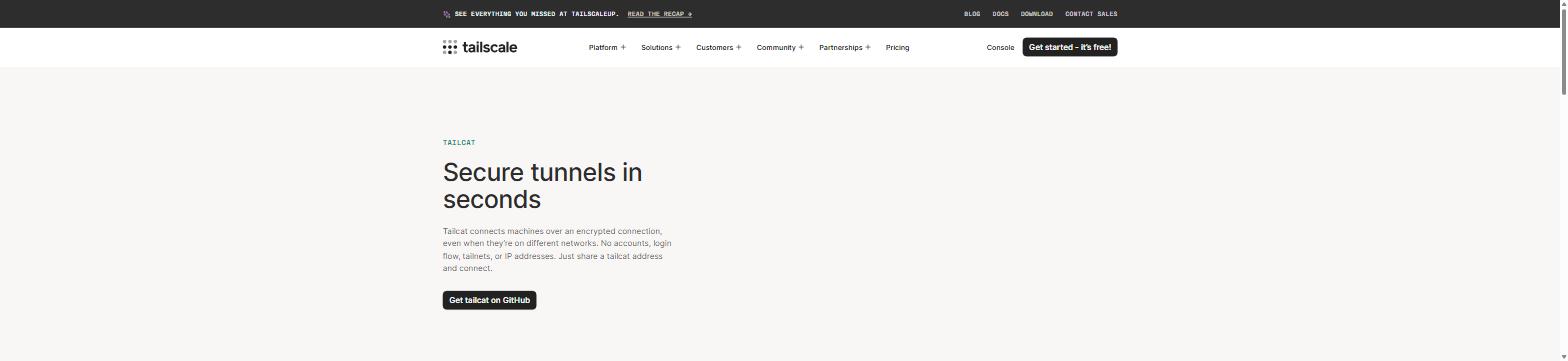
tailcat comes from Tailscale itself, described by its authors as "Tailscale without Tailscale, by Tailscale". It behaves like netcat, except the channel runs over Tailscale’s data plane: a point-to-point WireGuard-encrypted tunnel between the two machines, with DERP servers acting as the side channel for NAT hole punching and as the relay of last resort. What it leaves out is Tailscale’s control plane — the connection metadata is exchanged out of band, however you like.
In practice one side starts a listener and prints a short address; you pass that address to the other side through any channel you trust, and the encrypted tunnel comes up. No Tailscale account, no root or administrator rights, and no changes to your routing table or DNS — it is a userspace CLI (which both ends need). The free rate-limited DERP relays are the default, and you can run your own. BSD-3-Clause licensed.
Pipe data across: The basic mode is netcat-shaped — one side listens, the other sends its standard input to the printed address, which is handy for a quick block of text or anything already in a pipeline.
Send and receive files:
Remote shell: A built-in SSH server accepts keys from authorized_keys files, literal public key lines, or a GitHub account. An authentication-free mode exists as well, but there the address itself is the credential, so it belongs only in private channels.
Port forwarding:
Exit node and SOCKS proxy: The server can act as an exit node so the client reaches its network, and the client can run a SOCKS5 proxy that routes any command’s traffic through the tunnel.
Run a command per connection: An inetd-style exec mode runs a command for each incoming connection with the connection as its stdin and stdout; combined with the SSH service it works like ForceCommand, allowing that one command only.
Key and address management: Every run generates an ephemeral key by default, so the address dies for good when the process exits. Saved keys via genkey keep an address stable, at the cost that anyone who ever received it can reach later servers — which is what the --allow client restriction is for. WireGuard pre-shared keys are on by default.
Connectivity diagnostics:
Many install paths: Releases carry static Linux binaries with deb and rpm packages plus Windows archives, alongside a container image, Homebrew, go install, Nix, the AUR and conda-forge. There is also an experimental WebAssembly build that runs in the browser and interoperates with the CLI, relay-only for now.
Open source project: The source code is hosted on GitHub, so developers can study the implementation, contribute, or customize it for their own needs.
tailcat comes from Tailscale itself, described by its authors as "Tailscale without Tailscale, by Tailscale". It behaves like netcat, except the channel runs over Tailscale’s data plane: a point-to-point WireGuard-encrypted tunnel between the two machines, with DERP servers acting as the side channel for NAT hole punching and as the relay of last resort. What it leaves out is Tailscale’s control plane — the connection metadata is exchanged out of band, however you like.
In practice one side starts a listener and prints a short address; you pass that address to the other side through any channel you trust, and the encrypted tunnel comes up. No Tailscale account, no root or administrator rights, and no changes to your routing table or DNS — it is a userspace CLI (which both ends need). The free rate-limited DERP relays are the default, and you can run your own. BSD-3-Clause licensed.
Features
Pipe data across: The basic mode is netcat-shaped — one side listens, the other sends its standard input to the printed address, which is handy for a quick block of text or anything already in a pipeline.
Send and receive files:
tailcat recv ~/inbox opens a drop box and the sender runs tailcat cp file address:. It routes the system scp through the tunnel, so you get the usual progress display, and the drop box is write-only — senders cannot list it or read anything back.Remote shell: A built-in SSH server accepts keys from authorized_keys files, literal public key lines, or a GitHub account. An authentication-free mode exists as well, but there the address itself is the credential, so it belongs only in private channels.
Port forwarding:
serve exposes local ports through the tunnel and forward maps them back to ordinary local ports on the client, which is what browsers and database clients that cannot speak SOCKS need. Listeners bind to 127.0.0.1 by default.Exit node and SOCKS proxy: The server can act as an exit node so the client reaches its network, and the client can run a SOCKS5 proxy that routes any command’s traffic through the tunnel.
Run a command per connection: An inetd-style exec mode runs a command for each incoming connection with the connection as its stdin and stdout; combined with the SSH service it works like ForceCommand, allowing that one command only.
Key and address management: Every run generates an ephemeral key by default, so the address dies for good when the process exits. Saved keys via genkey keep an address stable, at the cost that anyone who ever received it can reach later servers — which is what the --allow client restriction is for. WireGuard pre-shared keys are on by default.
Connectivity diagnostics:
ping reports whether each pong came back over a DERP relay or a direct path, while parse and resolve inspect an address or expand a short one into a self-contained form that connects faster.Many install paths: Releases carry static Linux binaries with deb and rpm packages plus Windows archives, alongside a container image, Homebrew, go install, Nix, the AUR and conda-forge. There is also an experimental WebAssembly build that runs in the browser and interoperates with the CLI, relay-only for now.
Open source project: The source code is hosted on GitHub, so developers can study the implementation, contribute, or customize it for their own needs.