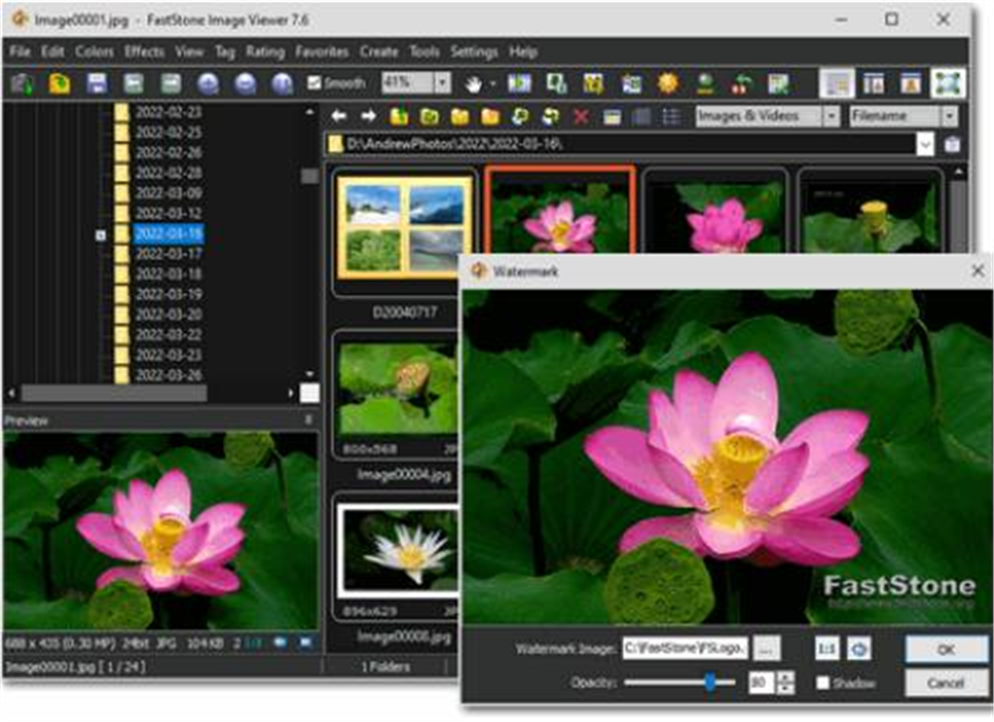
Description
Image viewers are either plastered with ads or stutter on large images. FastStone Image Viewer takes the old-school practical route — fast, stable, ad-free, with toolbars that pop out when the mouse touches the four screen edges — making full-screen viewing especially smooth. Free for personal and educational use.
On Windows, small and stable as ever.
Edge toolbars in full screen: touching the four screen edges pops out file info, thumbnails, EXIF and toolbars, out of the way yet always at hand.
Browsing and management: thumbnail browsing, a directory tree, tagging and image comparison make selecting and sorting large photo sets efficient.
Editing: crop, resize, color-adjust, red-eye removal, text watermarks and clone retouching are all there for quick fixes while viewing.
Batch processing: batch convert, resize and rename a whole folder in one pass.
Slideshow and more: a slideshow with 150-plus transitions, a high-quality magnifier, screen capture and image scanning cover the whole viewing workflow in one program.
On Windows, small and stable as ever.
Features
Edge toolbars in full screen: touching the four screen edges pops out file info, thumbnails, EXIF and toolbars, out of the way yet always at hand.
Browsing and management: thumbnail browsing, a directory tree, tagging and image comparison make selecting and sorting large photo sets efficient.
Editing: crop, resize, color-adjust, red-eye removal, text watermarks and clone retouching are all there for quick fixes while viewing.
Batch processing: batch convert, resize and rename a whole folder in one pass.
Slideshow and more: a slideshow with 150-plus transitions, a high-quality magnifier, screen capture and image scanning cover the whole viewing workflow in one program.