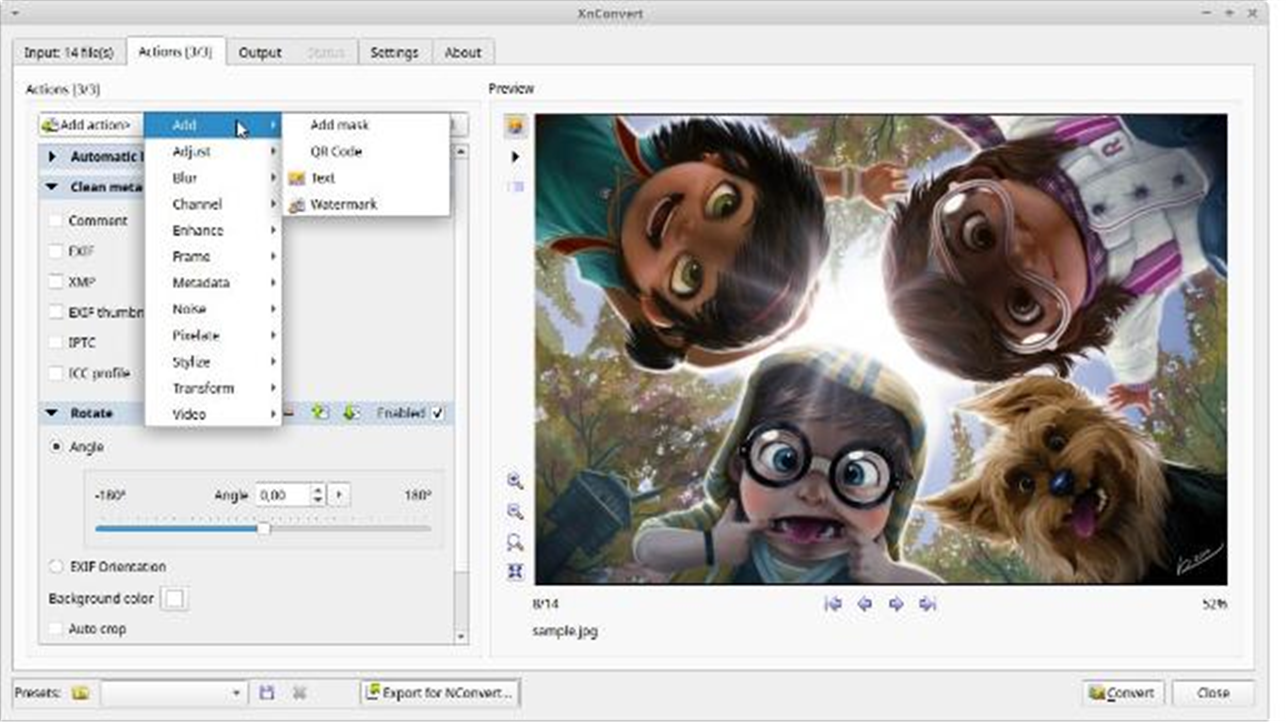
Description
Two hundred images that all need to be resized to 1080 wide, converted to WebP and watermarked — doing it one file at a time takes all day. XnConvert is built for exactly this batch work: chain a series of operations into one pipeline and run it across hundreds or thousands of images at once.
Free, on Windows, macOS and Linux, from the XnView team.
Action pipeline: stack resize, crop, rotate, watermark and color operations into one action chain, configured once and applied uniformly to the whole batch.
Broad formats, batch convert: it reads over 500 formats and writes more than 70, converting an entire folder to a target format in one pass.
Live preview: a live preview on the right shows the effect of each step, so you tune parameters before running the whole batch instead of trial and error.
Batch rename: rename by rule during conversion and output sorted by size or date, cutting out the cleanup step afterward.
Reusable presets: save common workflows as presets to run again on the same kind of job, and export them for colleagues.
Free, on Windows, macOS and Linux, from the XnView team.
Features
Action pipeline: stack resize, crop, rotate, watermark and color operations into one action chain, configured once and applied uniformly to the whole batch.
Broad formats, batch convert: it reads over 500 formats and writes more than 70, converting an entire folder to a target format in one pass.
Live preview: a live preview on the right shows the effect of each step, so you tune parameters before running the whole batch instead of trial and error.
Batch rename: rename by rule during conversion and output sorted by size or date, cutting out the cleanup step afterward.
Reusable presets: save common workflows as presets to run again on the same kind of job, and export them for colleagues.