Description
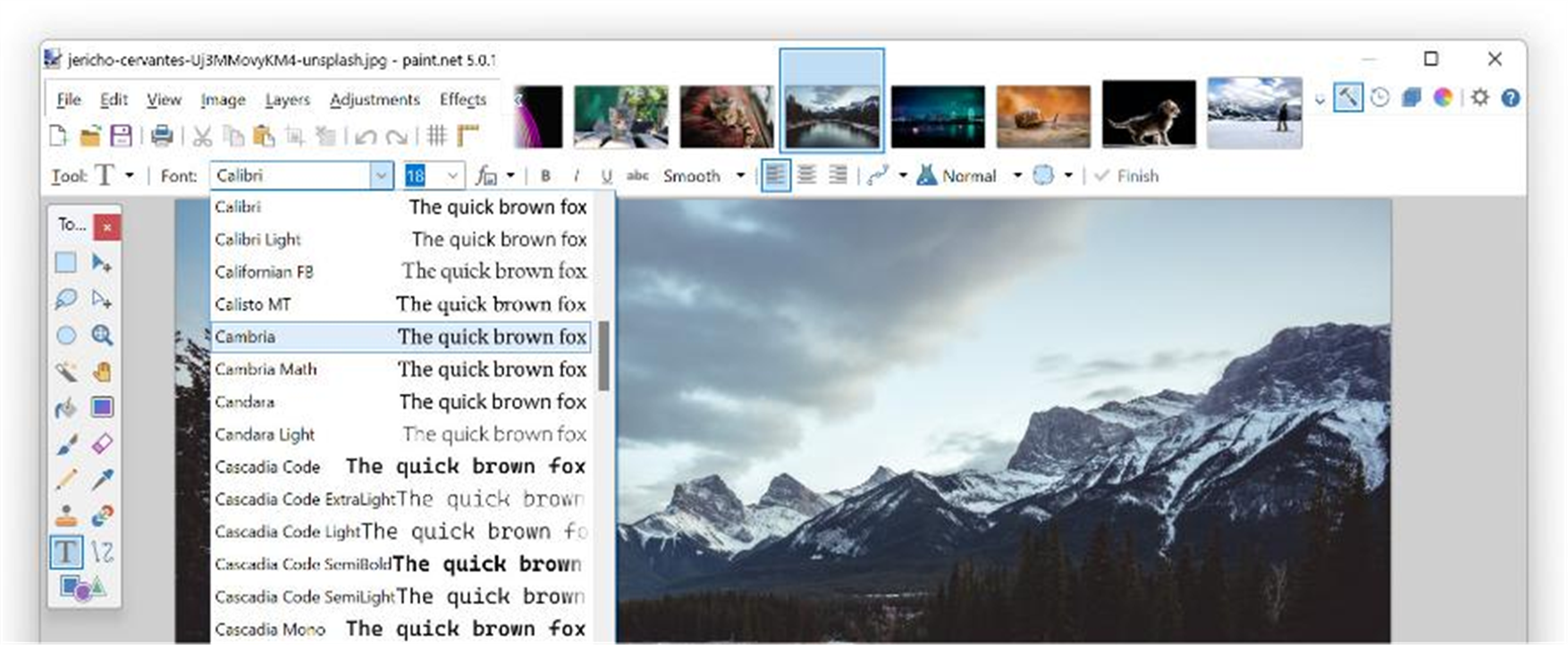
You just want to add an arrow to a screenshot, crop a photo, or remove a red-eye — Photoshop feels heavy and the built-in Paint is too crude. Paint.NET sits right in between: fast to launch and to learn, yet with layers and unlimited undo, a long-standing free image editor for Windows.
Free, built for Windows, with a clean interface that has what you need.
Layer editing: multiple layers and blend modes let you composite, cut out and watermark in layers, editing without destroying the original.
Unlimited undo/redo: a full history means you can experiment freely and step all the way back when something goes wrong.
Rich adjustments and effects: brightness/contrast, levels and curves, sharpen, blur, distort and many built-in effects handle most common edits in a click.
Selection tools: rectangle, ellipse, lasso and magic-wand selections make simple cutouts and local adjustments easy.
Plugin ecosystem: a large third-party plugin community adds formats, filters and tools on demand, growing the light core into a handy editor.
Free, built for Windows, with a clean interface that has what you need.
Features
Layer editing: multiple layers and blend modes let you composite, cut out and watermark in layers, editing without destroying the original.
Unlimited undo/redo: a full history means you can experiment freely and step all the way back when something goes wrong.
Rich adjustments and effects: brightness/contrast, levels and curves, sharpen, blur, distort and many built-in effects handle most common edits in a click.
Selection tools: rectangle, ellipse, lasso and magic-wand selections make simple cutouts and local adjustments easy.
Plugin ecosystem: a large third-party plugin community adds formats, filters and tools on demand, growing the light core into a handy editor.