Description
The C: drive turns red again, so you open one of those PC-care suites and it greets you with a "health score of 62", suggests you install its browser, and puts an "upgrade" button next to the clean button. The cleaner category has been rotten for years — closed source, ad-stuffed, built on scaring you into paying, and a few of them are barely disguised malware.
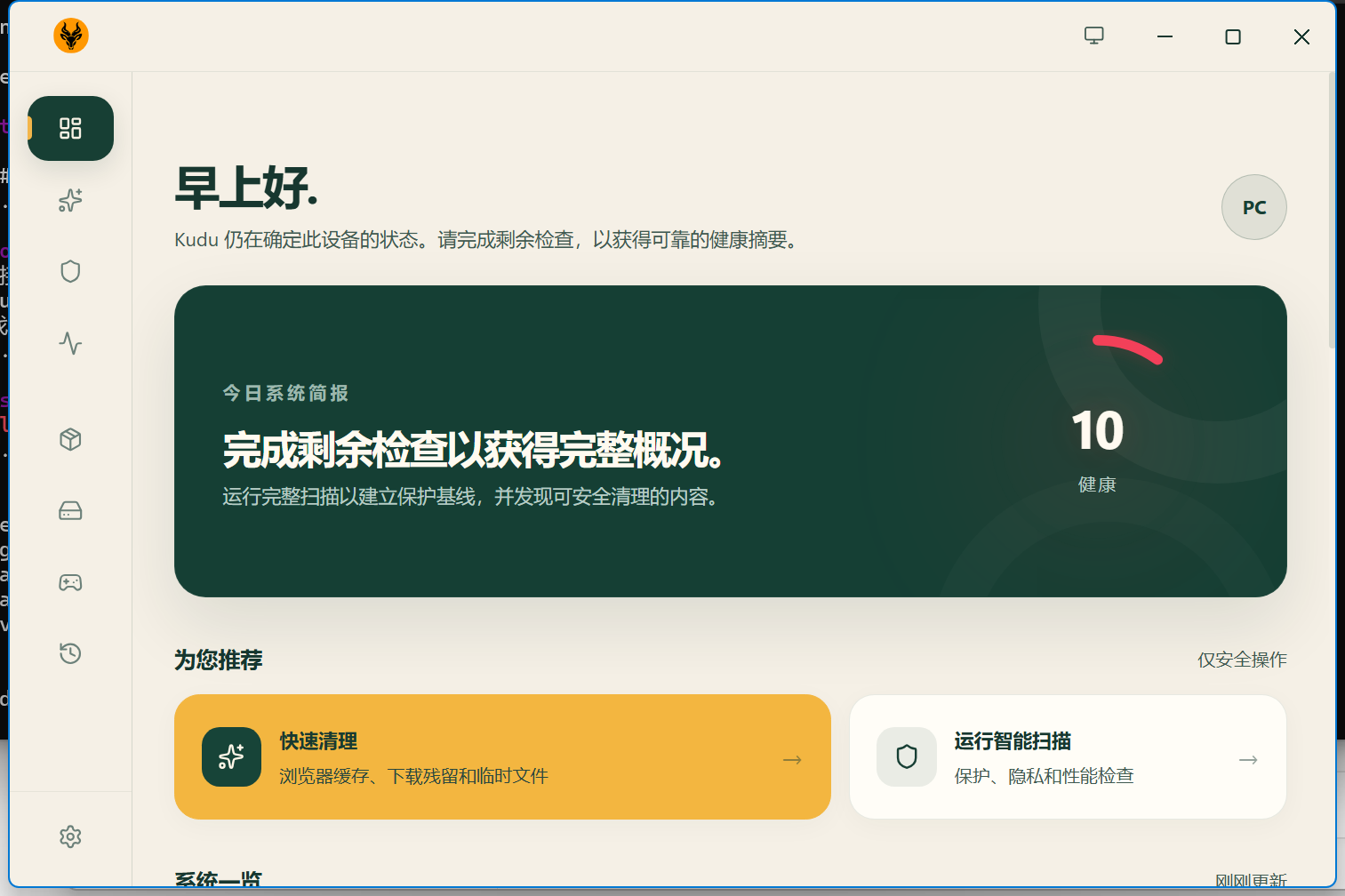
Kudu is what one developer built after getting tired of that: MIT licensed, fully open source, no ads and no bundles. Scanning and cleaning stay local; only the optional Kudu Cloud features connect anywhere, and only when you turn them on. The author’s own line is that he was tired of recommending CCleaner with a straight face.
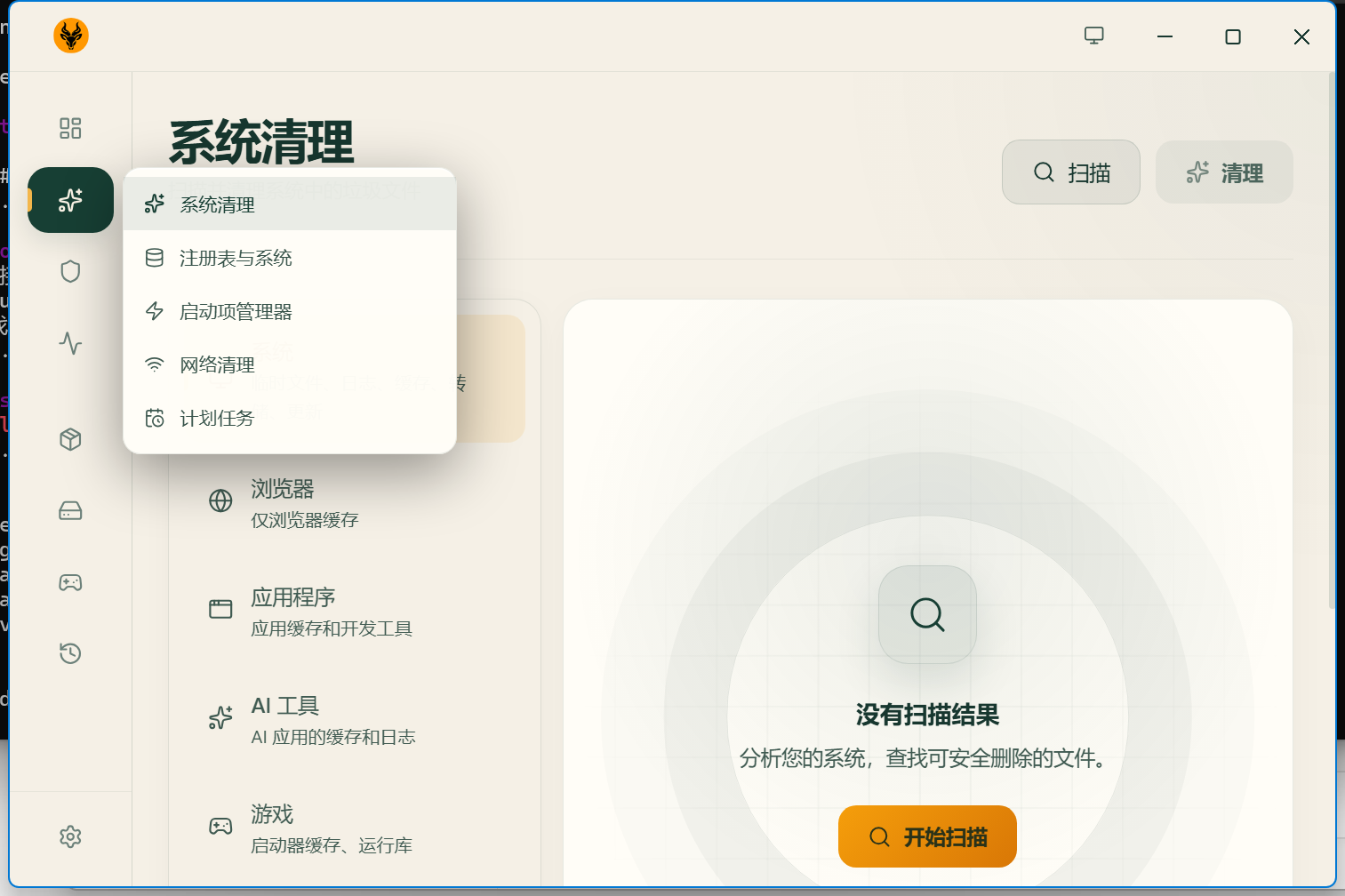
The coverage is genuinely broad: temp files, logs, crash dumps, caches across every major browser, leftover app data, game launcher and shader caches, orphaned registry entries, startup items, DNS and Wi-Fi profiles, Windows bloatware, stale drivers, uninstall leftovers, system services — plus a disk analyzer that draws the whole drive as an interactive treemap so the space hog is obvious. There is even a bulk software updater that pushes updates across winget, Chocolatey, Scoop and npm in one pass.
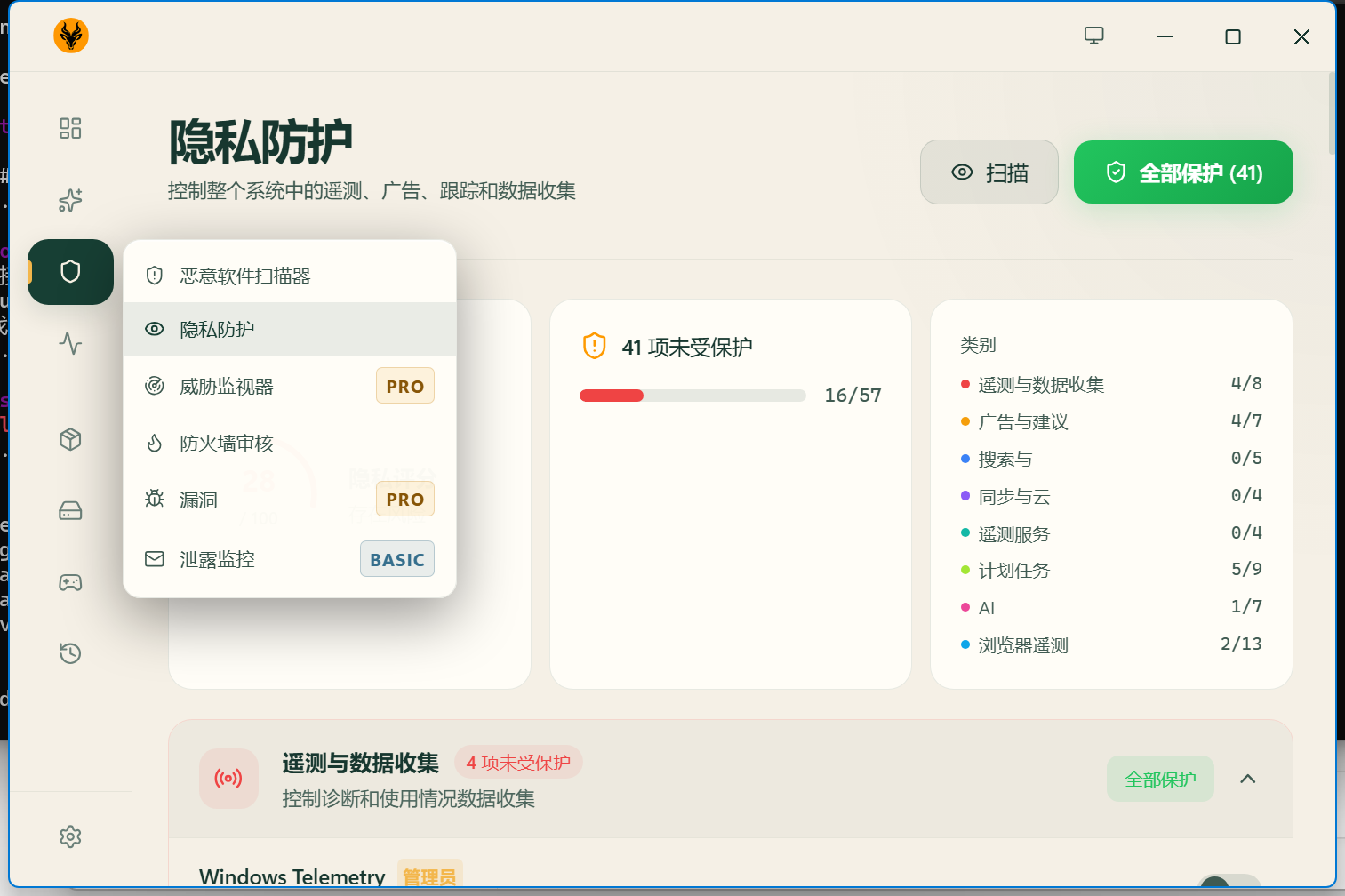
On the security side there is a malware scanner (signature matching plus heuristics, with Windows Defender integration), secure delete that overwrites with random data first, and a Privacy Shield that lists dozens of system privacy switches grouped by telemetry, ads and suggestions, search, sync and cloud, scheduled tasks, AI and browser telemetry — flip them all at once or pick through them. A system restore point can be created before any cleaning, so there is a way back.
Windows, macOS and Linux, with a no-install portable build on Windows. The interface ships in 30 languages, Simplified and Traditional Chinese included.
Cleaning: system junk (temp files, logs, caches, crash dumps), browser caches, leftover app data, game launcher and shader caches, registry cleanup, and network cleanup covering DNS, Wi-Fi profiles and the ARP cache.
Disk analyzer: an interactive treemap of disk usage that makes the directory eating your space immediately visible.
Startup and services: a startup manager with boot-impact analysis, Windows service optimisation, a debloater for preinstalled apps, stale driver cleanup, and an uninstaller that removes leftovers too.
Bulk software updates: update installed software across winget, Chocolatey, Scoop and npm in one go.
Malware scanner: signature matching and heuristic analysis, integrated with Windows Defender.
Privacy Shield: central control over 30+ Windows privacy settings — telemetry, advertising ID, Cortana, assorted tracking — grouped by category and switchable in bulk.
Secure delete: overwrite files with random data before removing them.
Performance monitor: live CPU, memory, disk and network figures, including per-core usage and drive S.M.A.R.T. status.
Restore points and history: create a system restore point before cleaning, and review past sessions with how much space each recovered.
Scheduling and CLI: daily, weekly or monthly scheduled scans, plus a full CLI mode that scripts without any GUI.
Cleaning rules are JSON: adding a rule for your favourite application means writing a JSON file, not code, and the site publishes the full cleaner directory.
Two things worth knowing: the threat monitor, vulnerability scan and breach monitoring are marked PRO or BASIC in the interface and belong to paid Kudu Cloud tiers — the desktop cleaning and privacy tools themselves are free. And the author states plainly in the README that this software exists to delete files from your system: review the list before removing anything, because responsibility for data loss or instability is yours.
Kudu is what one developer built after getting tired of that: MIT licensed, fully open source, no ads and no bundles. Scanning and cleaning stay local; only the optional Kudu Cloud features connect anywhere, and only when you turn them on. The author’s own line is that he was tired of recommending CCleaner with a straight face.
The coverage is genuinely broad: temp files, logs, crash dumps, caches across every major browser, leftover app data, game launcher and shader caches, orphaned registry entries, startup items, DNS and Wi-Fi profiles, Windows bloatware, stale drivers, uninstall leftovers, system services — plus a disk analyzer that draws the whole drive as an interactive treemap so the space hog is obvious. There is even a bulk software updater that pushes updates across winget, Chocolatey, Scoop and npm in one pass.
On the security side there is a malware scanner (signature matching plus heuristics, with Windows Defender integration), secure delete that overwrites with random data first, and a Privacy Shield that lists dozens of system privacy switches grouped by telemetry, ads and suggestions, search, sync and cloud, scheduled tasks, AI and browser telemetry — flip them all at once or pick through them. A system restore point can be created before any cleaning, so there is a way back.
Windows, macOS and Linux, with a no-install portable build on Windows. The interface ships in 30 languages, Simplified and Traditional Chinese included.
Features
Cleaning: system junk (temp files, logs, caches, crash dumps), browser caches, leftover app data, game launcher and shader caches, registry cleanup, and network cleanup covering DNS, Wi-Fi profiles and the ARP cache.
Disk analyzer: an interactive treemap of disk usage that makes the directory eating your space immediately visible.
Startup and services: a startup manager with boot-impact analysis, Windows service optimisation, a debloater for preinstalled apps, stale driver cleanup, and an uninstaller that removes leftovers too.
Bulk software updates: update installed software across winget, Chocolatey, Scoop and npm in one go.
Malware scanner: signature matching and heuristic analysis, integrated with Windows Defender.
Privacy Shield: central control over 30+ Windows privacy settings — telemetry, advertising ID, Cortana, assorted tracking — grouped by category and switchable in bulk.
Secure delete: overwrite files with random data before removing them.
Performance monitor: live CPU, memory, disk and network figures, including per-core usage and drive S.M.A.R.T. status.
Restore points and history: create a system restore point before cleaning, and review past sessions with how much space each recovered.
Scheduling and CLI: daily, weekly or monthly scheduled scans, plus a full CLI mode that scripts without any GUI.
Cleaning rules are JSON: adding a rule for your favourite application means writing a JSON file, not code, and the site publishes the full cleaner directory.
Two things worth knowing: the threat monitor, vulnerability scan and breach monitoring are marked PRO or BASIC in the interface and belong to paid Kudu Cloud tiers — the desktop cleaning and privacy tools themselves are free. And the author states plainly in the README that this software exists to delete files from your system: review the list before removing anything, because responsibility for data loss or instability is yours.