
Description
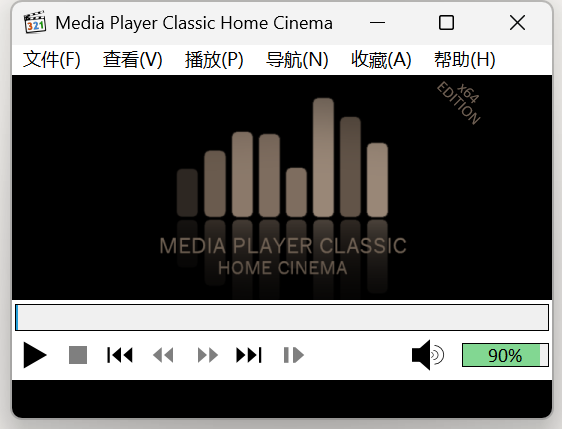
Media Player Classic - Home Cinema is a lightweight video player for Windows. The interface is still the old-fashioned menu bar and seek bar — no recommendation panels, no account, no splash advertising. Double-click a file and it plays.
Decoders are built in, so no separate codec pack is needed and the usual mp4, mkv, avi and rmvb files just open. It uses very little in the way of resources and plays 1080p smoothly even on older machines, which is exactly why many people install it. The build listed here is the fork maintained by clsid2 — the original project stopped years ago, while this branch keeps up with new formats and new Windows releases.
Built-in decoding: It ships with the LAV decoders, so nearly every container and codec plays out of the box without hunting down a third-party codec pack.
Light on resources: Both the program and its memory footprint are small, and high-bitrate video plays on modest hardware without the fans spinning up.
Subtitles: External subtitle files load and their font, size, position and delay can all be adjusted, and multiple embedded subtitle tracks are recognised too.
Frame stepping and capture: Step forward and back a frame at a time, change playback speed, and grab stills with a keyboard shortcut — handy when hunting for one particular frame.
Audio and video adjustment: Audio delay, track switching and basic picture adjustments are all available, so out-of-sync audio can be fixed on the spot.
Portable build: An official zip runs without installation and keeps its configuration in its own folder.
Decoders are built in, so no separate codec pack is needed and the usual mp4, mkv, avi and rmvb files just open. It uses very little in the way of resources and plays 1080p smoothly even on older machines, which is exactly why many people install it. The build listed here is the fork maintained by clsid2 — the original project stopped years ago, while this branch keeps up with new formats and new Windows releases.
Features
Built-in decoding: It ships with the LAV decoders, so nearly every container and codec plays out of the box without hunting down a third-party codec pack.
Light on resources: Both the program and its memory footprint are small, and high-bitrate video plays on modest hardware without the fans spinning up.
Subtitles: External subtitle files load and their font, size, position and delay can all be adjusted, and multiple embedded subtitle tracks are recognised too.
Frame stepping and capture: Step forward and back a frame at a time, change playback speed, and grab stills with a keyboard shortcut — handy when hunting for one particular frame.
Audio and video adjustment: Audio delay, track switching and basic picture adjustments are all available, so out-of-sync audio can be fixed on the spot.
Portable build: An official zip runs without installation and keeps its configuration in its own folder.
Screenshots
Tags:Player