
Description
# Printer Port Repair Tool # Printer Repair # USB Printer # USB Port Repair # Printer Port # System Repair # Windows
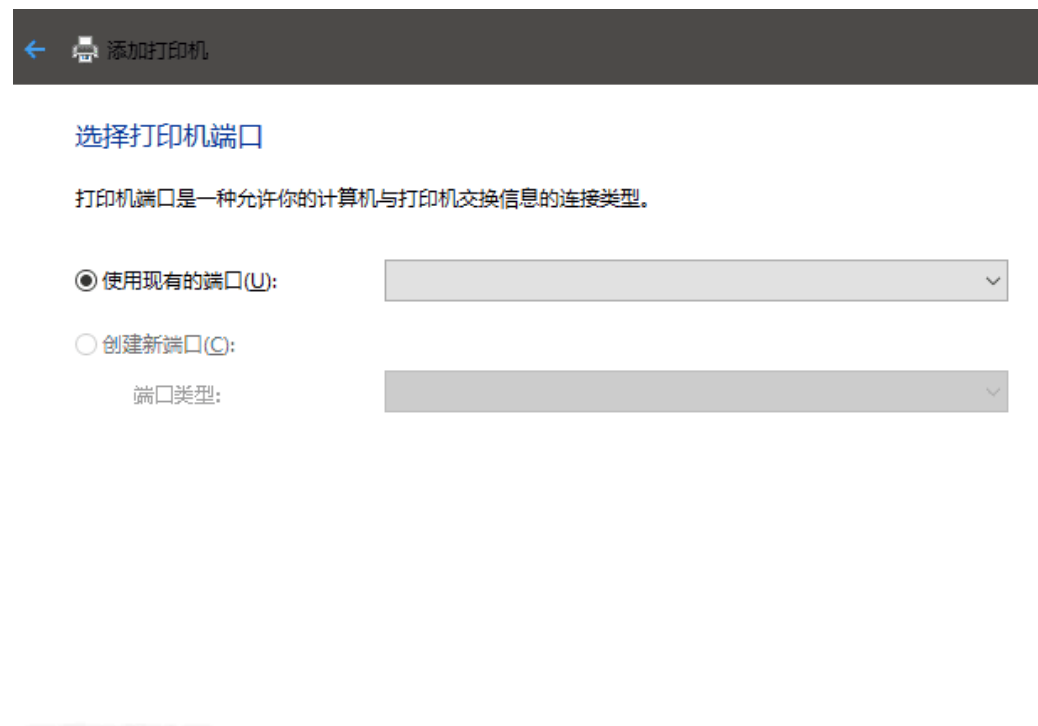
The Printer Port Repair Tool is a small repair utility designed for **Windows printer port anomalies**. This tool originated from a real-world malfunction. After clearing space on the C drive, a printer that was previously functioning normally suddenly could not connect, and upon attempting to re-add the printer, it was discovered that **no USB ports were available for selection**, preventing the printer from being configured properly.
After several hours of troubleshooting and resolving the issue, the author created a small tool using AI to share the related processes. It is particularly suitable for situations where the printer cannot connect, there are no USB ports available when adding the printer, or there are anomalies in port configuration, helping to assist in repairs and saving the hassle of manually searching through system settings and troubleshooting step by step.
## Software Features
**Printer Port Anomaly Repair:** Primarily addresses port anomaly issues that occur during the Windows printer addition process, helping to restore the necessary port configurations for the printer.
**USB Port Issue Handling:** If no **USB ports are available for selection** when adding a printer, preventing the USB printer from being added or connected, this tool can be used for targeted handling.
**Resolve Anomalies After System Cleanup:** If issues arise with printer connectivity after cleaning the C drive, system files, or performing system optimizations, this tool can assist in checking and repairing related configurations.
**Simplify Manual Operations:** The process that originally required time to search for information, modify configurations, and conduct repeated tests has been consolidated into this small tool, **reducing the difficulty of troubleshooting printer port failures**.
**Suitable for Common Office Scenarios:** This tool can handle home USB printers, office printing devices, and port issues that arise when reinstalling printers, making it a convenient troubleshooting tool.
**Usage Reminder:** There are many reasons why a printer may not connect, which may involve ports, drivers, Print Spooler services, USB device recognition, and hardware connections. This tool primarily addresses **port-related anomalies**; if printing still fails after repair, further checks on the printer driver and hardware connections are necessary.
Screenshots
Tags:printer