Description
A few hundred downloaded songs sit on the disk, you want to put one on, and what opens is a streaming client asking you to sign in, look at recommendations and consider a subscription. The built-in macOS Music app insists on importing everything into a library first and keeps offering to sync it to the cloud.
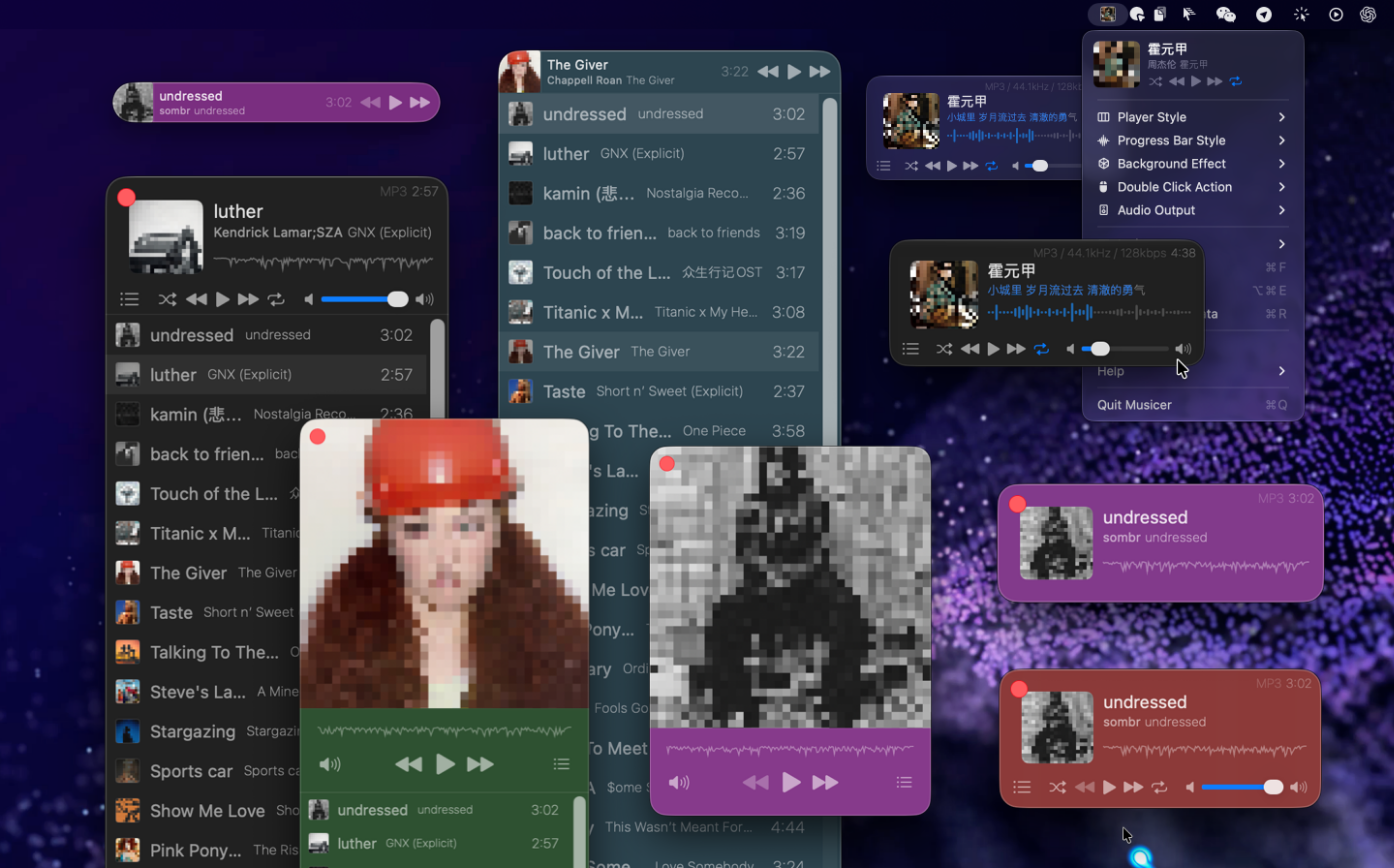
Musicer does one thing: play the audio files already on your Mac. The whole app is 4 MB. The progress bar is the track’s actual waveform rather than a thin line, the theme colour is yours to set, one click shrinks it to a mini bar, and it can live in the status bar and be driven from the menu. MP3, FLAC, WAV, AAC, AIFF and M4A all open directly.
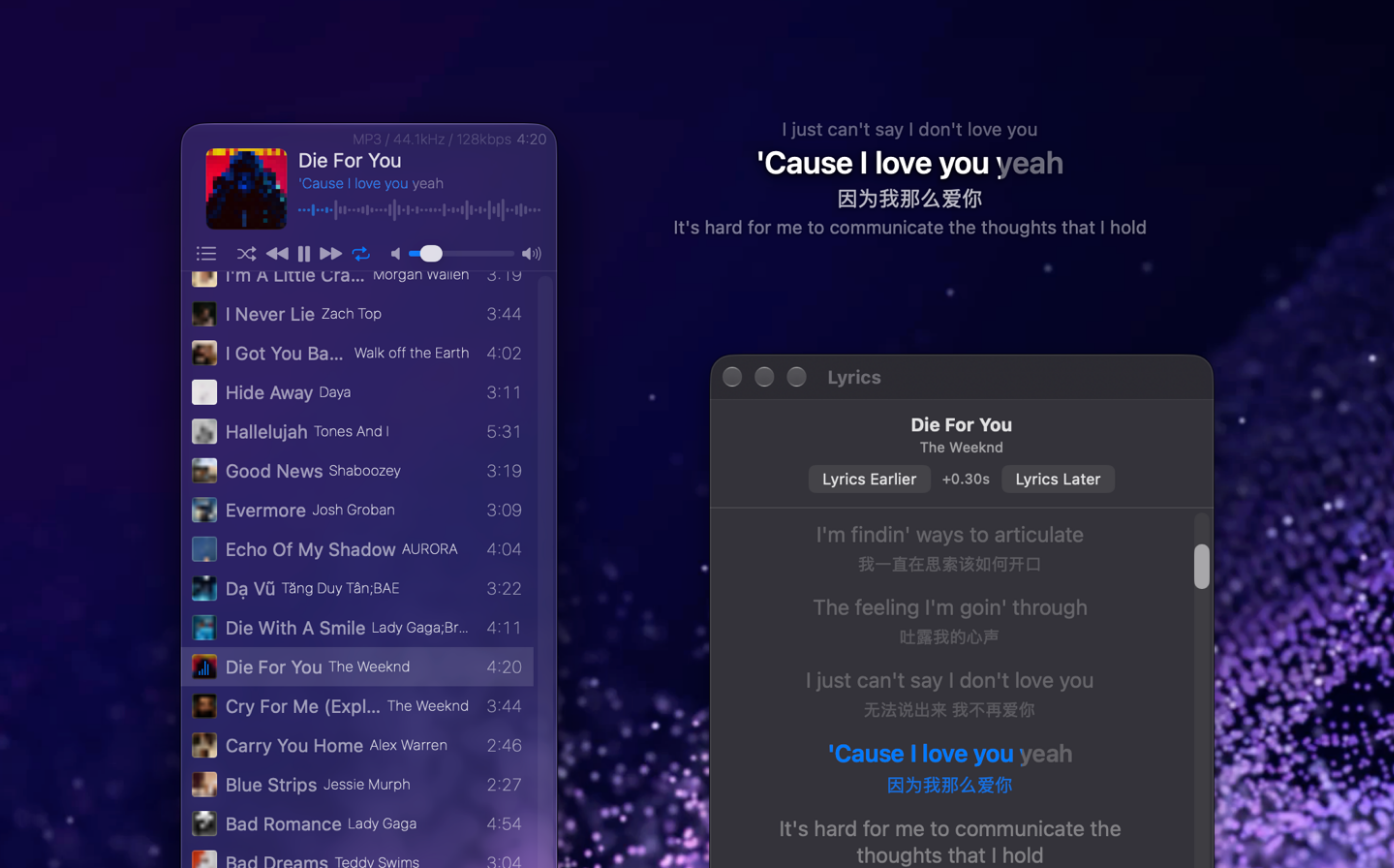
Version 3.8.0 adds lyrics inside the playback window. Together with the movable desktop lyrics and the separate lyrics window it already had, there are now three ways to read along: float them over the desktop while you work, open the lyrics window when you want the translation side by side, or just glance at the line in the player. Lyrics support word-level karaoke sync and translations.
It also speaks MCP: configure Musicer as an MCP server for Claude, Cursor or Grok and you can search, play, pause and skip in plain language, ask what is playing, and have the current lyrics read back.
Waveform progress bar: the bar is the track’s real waveform, so the intro and the loud part are visible before you drag.
Three player forms: mini, standard and large-cover windows switch with one click, or fold the player into the status bar and control it from the menu.
Pick your lyrics view: a movable, lockable desktop overlay, a standalone lyrics window, or the line embedded in the playback window — with word-level scrolling, translations, and a seconds offset to nudge timing.
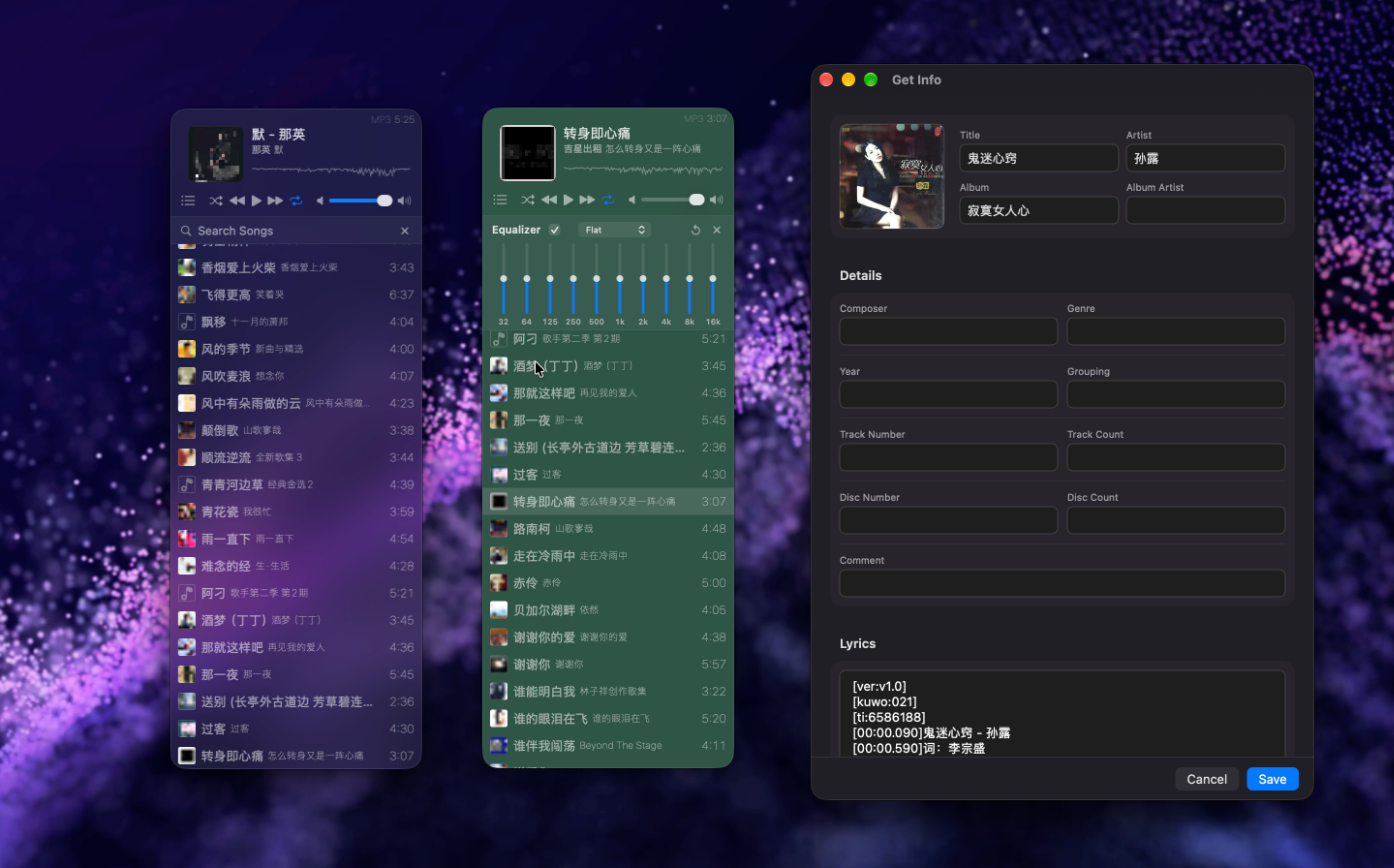
Equalizer and audio output: a built-in EQ, and a choice of which output device the sound goes to.
Metadata editing: the Get Info panel edits title, artist, album, year and track number, and lyrics can be pasted straight in.
AI ready: MCP support, so Claude Desktop, Cursor or Grok can control playback and read the current track in natural language.
Format coverage: MP3, AIFF, AMR, WAV, CAF, AAC, AC3, FLAC, M4R, M4A and more, with bitrate and sample rate on display.
Nine languages: Simplified and Traditional Chinese included, following the system language.
No data collected: the developer declares on the App Store that the app collects nothing. Requires macOS 14 or later; free on the App Store with in-app purchases for full access ($3.99 lifetime / $1.99 monthly).
Musicer does one thing: play the audio files already on your Mac. The whole app is 4 MB. The progress bar is the track’s actual waveform rather than a thin line, the theme colour is yours to set, one click shrinks it to a mini bar, and it can live in the status bar and be driven from the menu. MP3, FLAC, WAV, AAC, AIFF and M4A all open directly.
Version 3.8.0 adds lyrics inside the playback window. Together with the movable desktop lyrics and the separate lyrics window it already had, there are now three ways to read along: float them over the desktop while you work, open the lyrics window when you want the translation side by side, or just glance at the line in the player. Lyrics support word-level karaoke sync and translations.
It also speaks MCP: configure Musicer as an MCP server for Claude, Cursor or Grok and you can search, play, pause and skip in plain language, ask what is playing, and have the current lyrics read back.
Features
Waveform progress bar: the bar is the track’s real waveform, so the intro and the loud part are visible before you drag.
Three player forms: mini, standard and large-cover windows switch with one click, or fold the player into the status bar and control it from the menu.
Pick your lyrics view: a movable, lockable desktop overlay, a standalone lyrics window, or the line embedded in the playback window — with word-level scrolling, translations, and a seconds offset to nudge timing.
Equalizer and audio output: a built-in EQ, and a choice of which output device the sound goes to.
Metadata editing: the Get Info panel edits title, artist, album, year and track number, and lyrics can be pasted straight in.
AI ready: MCP support, so Claude Desktop, Cursor or Grok can control playback and read the current track in natural language.
Format coverage: MP3, AIFF, AMR, WAV, CAF, AAC, AC3, FLAC, M4R, M4A and more, with bitrate and sample rate on display.
Nine languages: Simplified and Traditional Chinese included, following the system language.
No data collected: the developer declares on the App Store that the app collects nothing. Requires macOS 14 or later; free on the App Store with in-app purchases for full access ($3.99 lifetime / $1.99 monthly).