Description
One app to cut, another to grade, a third for the mix, then back to the first for titles — a single video bounces between four programs, and one dropped project file in the middle costs you an afternoon.
DaVinci Resolve keeps all of it in one project: Cut and Edit pages for editing, Fusion for compositing and motion graphics, Color for grading, Fairlight for audio, Deliver for export. Switching pages needs no export — the timeline is the same one, so a change in Edit is already there when you go back to Color.
The Color page is the same toolset used in Hollywood grading suites; a lot of theatrical releases are graded in Resolve. The free version is not a crippled trial — editing, grading, Fusion and Fairlight are all in. Only Studio extras like noise reduction, some AI tools and 32K output are held back. The installer is 3.4 GB and the official download asks for a one-time registration.
Cut page: a fast-assembly interface with the source tape strip on top and a dual timeline showing the whole edit and the detail at once — built for short-form and rough cuts.
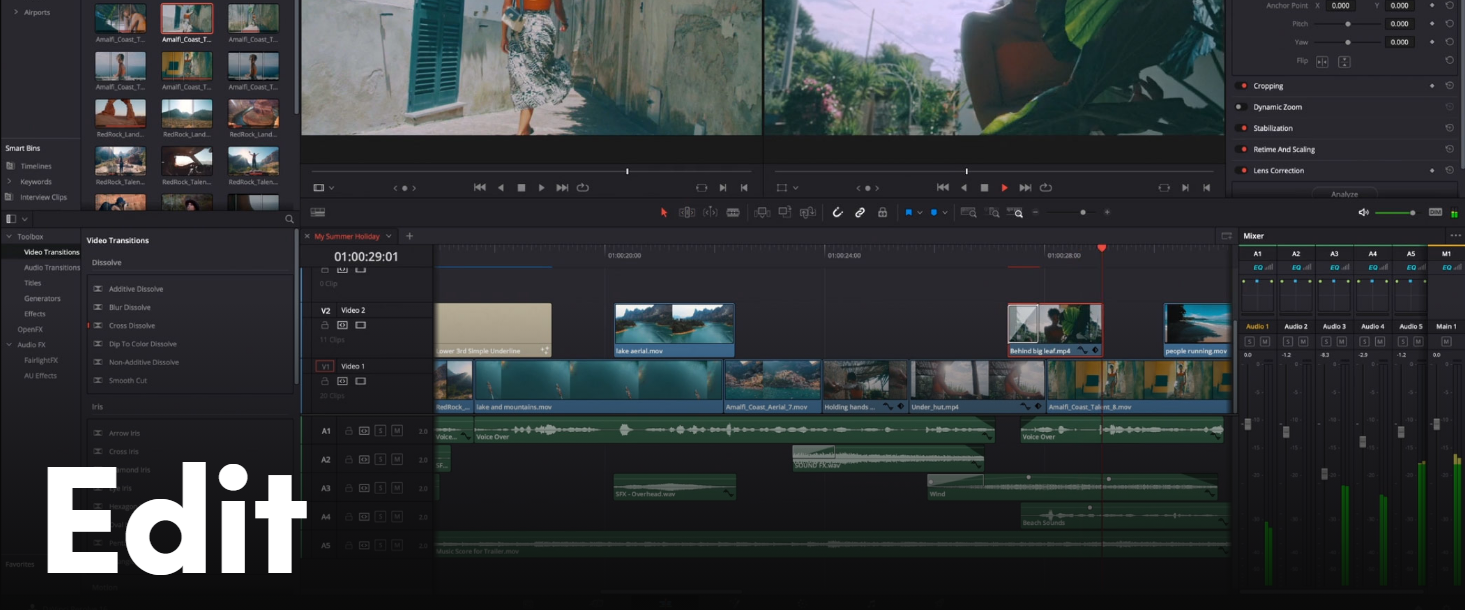
Edit page: a conventional multi-track timeline; drop transitions, titles and effects on clips, with multicam and nested timelines.
Color: node-based grading with primaries, secondaries, curves, LUTs and scopes on one screen.
Fusion: node-based VFX and motion graphics — titles, keying and tracking without leaving for After Effects.
Fairlight: a full mixing console: multitrack recording, EQ, compression, automation.
Same project on three platforms: Windows, macOS and Linux builds, with interchangeable project files.
DaVinci Resolve keeps all of it in one project: Cut and Edit pages for editing, Fusion for compositing and motion graphics, Color for grading, Fairlight for audio, Deliver for export. Switching pages needs no export — the timeline is the same one, so a change in Edit is already there when you go back to Color.
The Color page is the same toolset used in Hollywood grading suites; a lot of theatrical releases are graded in Resolve. The free version is not a crippled trial — editing, grading, Fusion and Fairlight are all in. Only Studio extras like noise reduction, some AI tools and 32K output are held back. The installer is 3.4 GB and the official download asks for a one-time registration.
Features
Cut page: a fast-assembly interface with the source tape strip on top and a dual timeline showing the whole edit and the detail at once — built for short-form and rough cuts.
Edit page: a conventional multi-track timeline; drop transitions, titles and effects on clips, with multicam and nested timelines.
Color: node-based grading with primaries, secondaries, curves, LUTs and scopes on one screen.
Fusion: node-based VFX and motion graphics — titles, keying and tracking without leaving for After Effects.
Fairlight: a full mixing console: multitrack recording, EQ, compression, automation.
Same project on three platforms: Windows, macOS and Linux builds, with interchangeable project files.
Screenshots
Tags:video-editing