Description
< #AI Creation #Video Translation #Subtitles and Dubbing #Image Generation #Runs Locally #Open Source
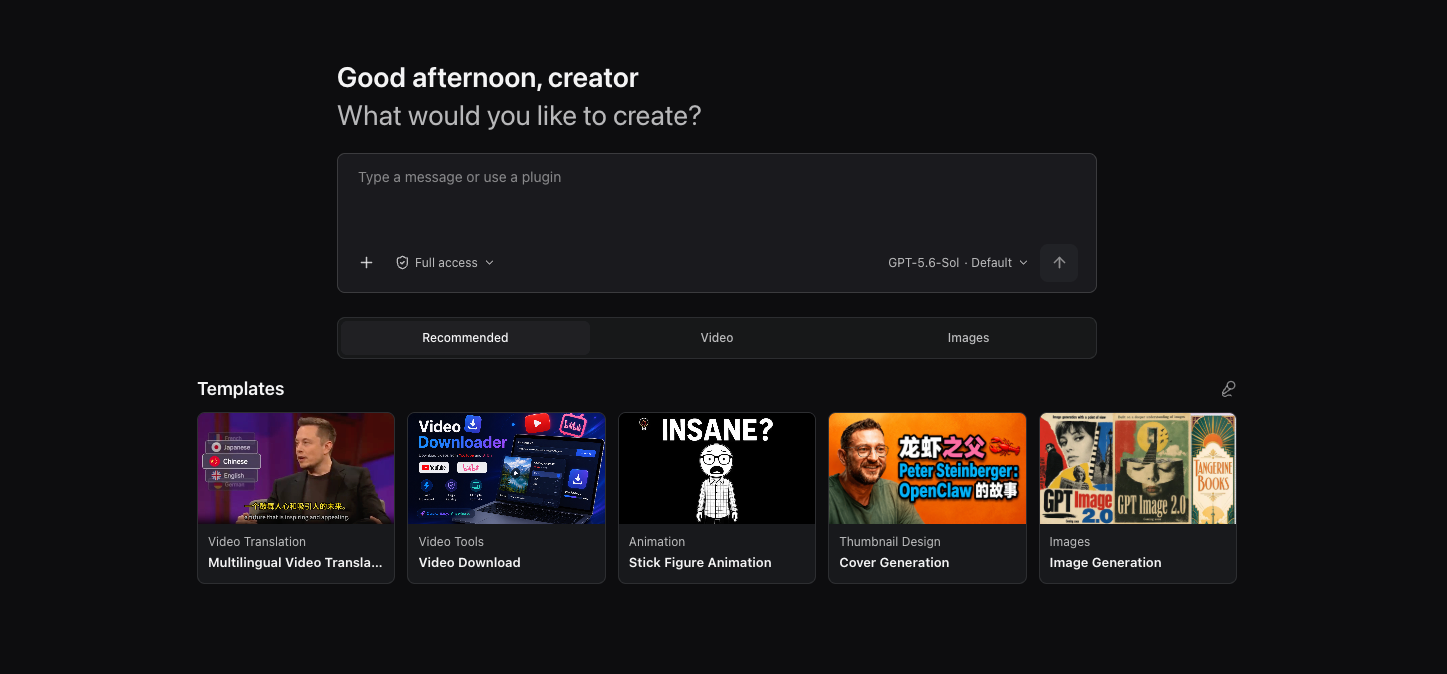
Adding subtitles to one English video usually turns into a tour of websites, models and export formats: download here, transcribe there, translate somewhere else, then find a way to dub it. OpenCreator pulls those steps into a single workspace — downloading, transcription, translation, dubbing, image generation and thumbnails all happen in one place. It was formerly KrillinAI and is now positioned as an open-source AI workspace for creators.
It works two ways at once: describe the task in conversation and let the Agent carry it forward, then switch to the visual tools beside it when subtitles, framing or voice need exact control. Both sides share one task state, so nothing has to be explained twice. Codex CLI serves as the execution engine, and data, attachments and logs stay local by default.
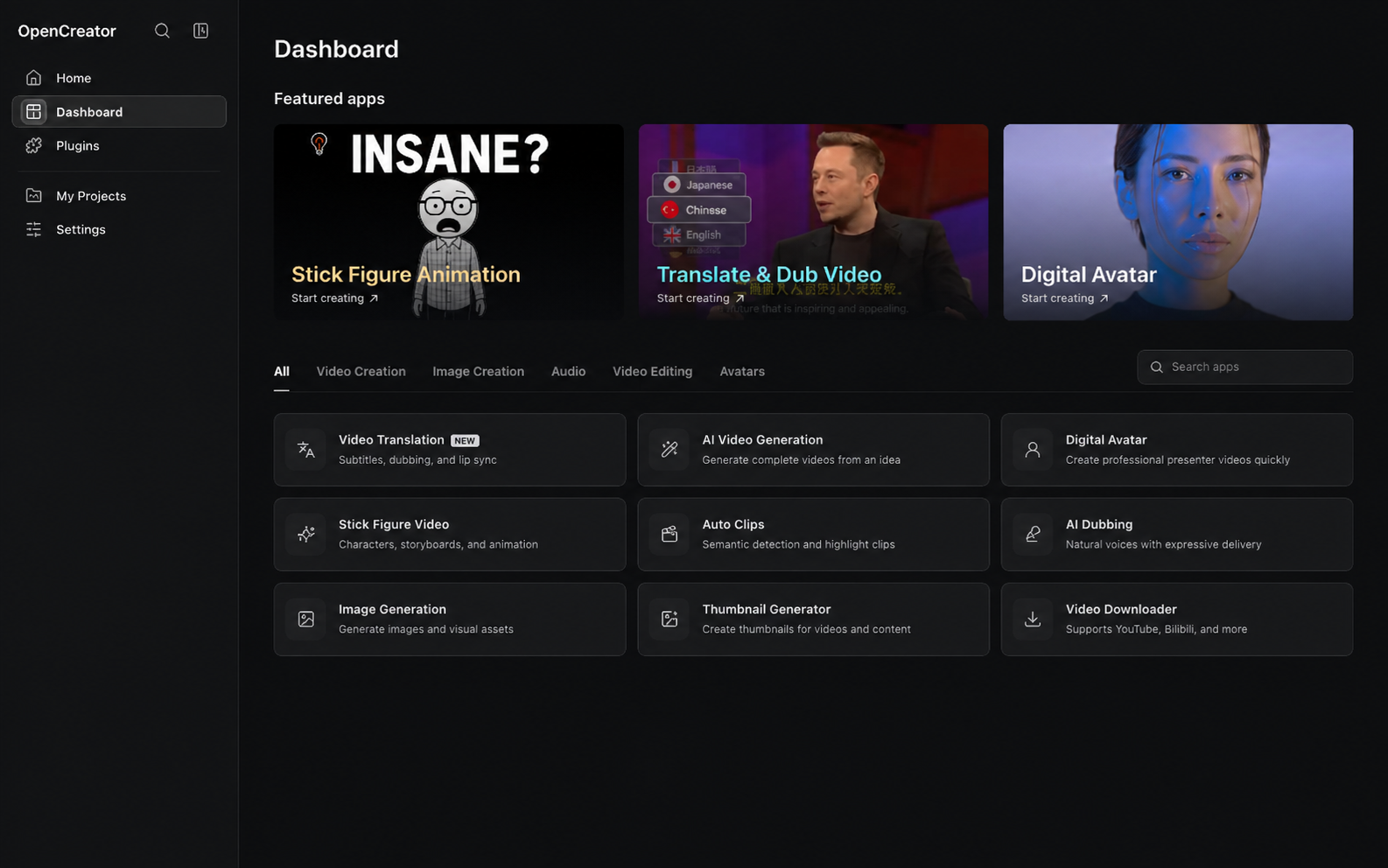
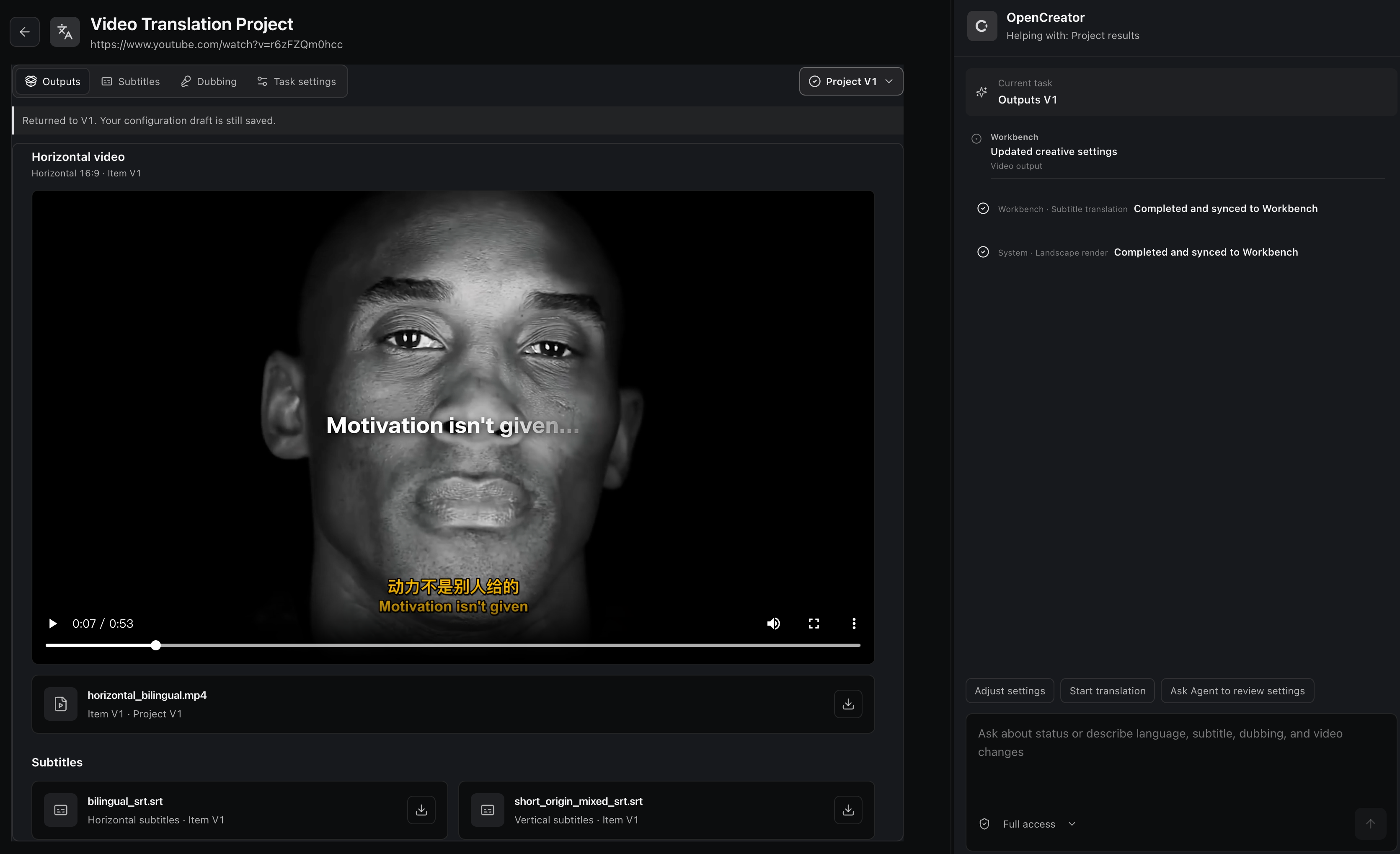
Video translation: import a local file or a public link, transcribe with cloud or local Whisper, then use an LLM for segmentation, alignment, terminology and translation, with bilingual subtitles, dubbing or a custom voice sample, subtitle styles and landscape or portrait composition, exporting SRT, audio or finished video.
Video downloader: parse YouTube, Bilibili and other supported public links, inspect the available quality and format options, and download video or audio for later steps.
Thumbnail generator: combine a topic, a video link and an optional reference image to produce several thumbnail variations to compare.
Image generation: generate with GPT Image from a prompt and optional reference image, set the aspect ratio and output count, then preview and download individual results.
Versioned revisions: every revision creates a new version while earlier settings and outputs are preserved, so a bad edit can always be walked back and compared.
Agent workspace: conversations are organized by project, Runs continue in the background, and approvals, attachments, files, Skills, MCP, schedules, notifications, memory and diagnostics live in one place.
Model choice: language models follow the Codex catalog or your own OpenAI-compatible provider — GPT, DeepSeek, Qwen, Kimi, GLM, Grok, Doubao, ERNIE and Hunyuan among them — while image, voice and transcription services are configured separately in settings.
Desktop app ready to run: the desktop build ships with Codex CLI, starts the local Runtime on demand with a default project prepared, and can inspect and update its bundled yt-dlp while keeping the working version if an update fails.
Still growing: stick figure animation, auto clips, smart dubbing, video generation and digital avatars are in development and arriving in later releases.
Open source project: the source code is hosted on GitHub, so developers can review the implementation, contribute, or customize it for their own needs.
Adding subtitles to one English video usually turns into a tour of websites, models and export formats: download here, transcribe there, translate somewhere else, then find a way to dub it. OpenCreator pulls those steps into a single workspace — downloading, transcription, translation, dubbing, image generation and thumbnails all happen in one place. It was formerly KrillinAI and is now positioned as an open-source AI workspace for creators.
It works two ways at once: describe the task in conversation and let the Agent carry it forward, then switch to the visual tools beside it when subtitles, framing or voice need exact control. Both sides share one task state, so nothing has to be explained twice. Codex CLI serves as the execution engine, and data, attachments and logs stay local by default.
Features
Video translation: import a local file or a public link, transcribe with cloud or local Whisper, then use an LLM for segmentation, alignment, terminology and translation, with bilingual subtitles, dubbing or a custom voice sample, subtitle styles and landscape or portrait composition, exporting SRT, audio or finished video.
Video downloader: parse YouTube, Bilibili and other supported public links, inspect the available quality and format options, and download video or audio for later steps.
Thumbnail generator: combine a topic, a video link and an optional reference image to produce several thumbnail variations to compare.
Image generation: generate with GPT Image from a prompt and optional reference image, set the aspect ratio and output count, then preview and download individual results.
Versioned revisions: every revision creates a new version while earlier settings and outputs are preserved, so a bad edit can always be walked back and compared.
Agent workspace: conversations are organized by project, Runs continue in the background, and approvals, attachments, files, Skills, MCP, schedules, notifications, memory and diagnostics live in one place.
Model choice: language models follow the Codex catalog or your own OpenAI-compatible provider — GPT, DeepSeek, Qwen, Kimi, GLM, Grok, Doubao, ERNIE and Hunyuan among them — while image, voice and transcription services are configured separately in settings.
Desktop app ready to run: the desktop build ships with Codex CLI, starts the local Runtime on demand with a default project prepared, and can inspect and update its bundled yt-dlp while keeping the working version if an update fails.
Still growing: stick figure animation, auto clips, smart dubbing, video generation and digital avatars are in development and arriving in later releases.
Open source project: the source code is hosted on GitHub, so developers can review the implementation, contribute, or customize it for their own needs.