Description
< #Skill Management #AI Coding #Agent #Rust #Desktop App #CLI #Cross Platform #Open Source
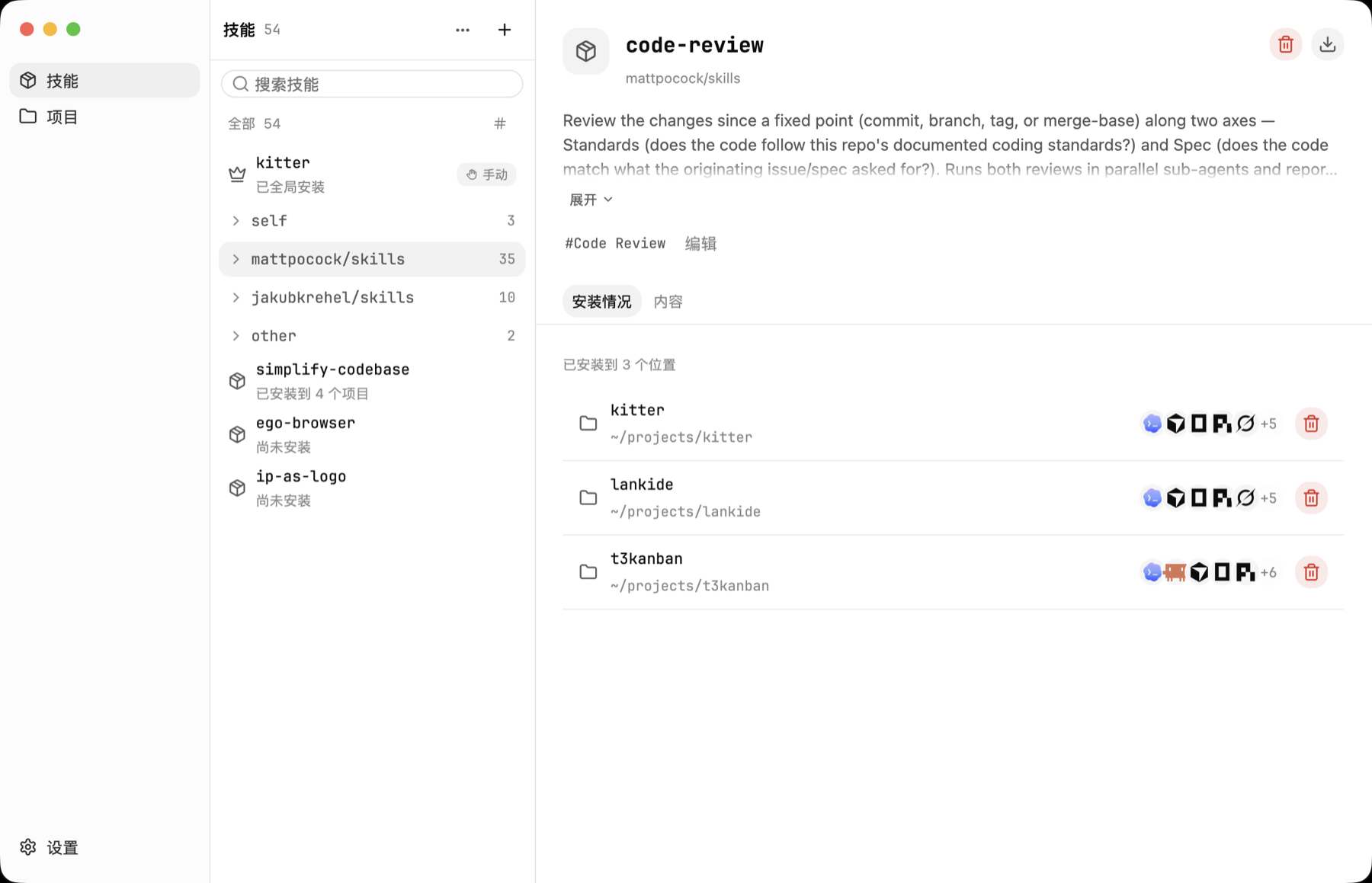
Kitter is a desktop app, with a matching command-line build, for managing Agent Skills across projects. The idea is simple: keep every Skill in one library and give each project only the ones it actually needs. Anyone who has used Claude Code, Codex or Cursor for a while knows the problem — the same Skill copied into eight different projects, every edit needing eight manual syncs, and no clear picture of what each Agent is really loading.
Kitter keeps a single maintained source per Skill and installs managed links rather than independent copies, so one update reaches every linked project at once. Skills already scattered around your disk do not need moving either: adopt them through the Existing installations view. The whole thing is written in Rust with GPUI, which keeps the interface light and startup quick. Apache-2.0, with builds for macOS, Windows and Linux, though the Linux desktop build is still short on real-world validation. The macOS app is not yet signed with an Apple Developer ID, so the first launch needs manual approval in System Settings.
One Skill library:Add Skills from a local folder, GitHub, a skills.sh-compatible source or a Claude plugin source, and maintain all of them in a single place.
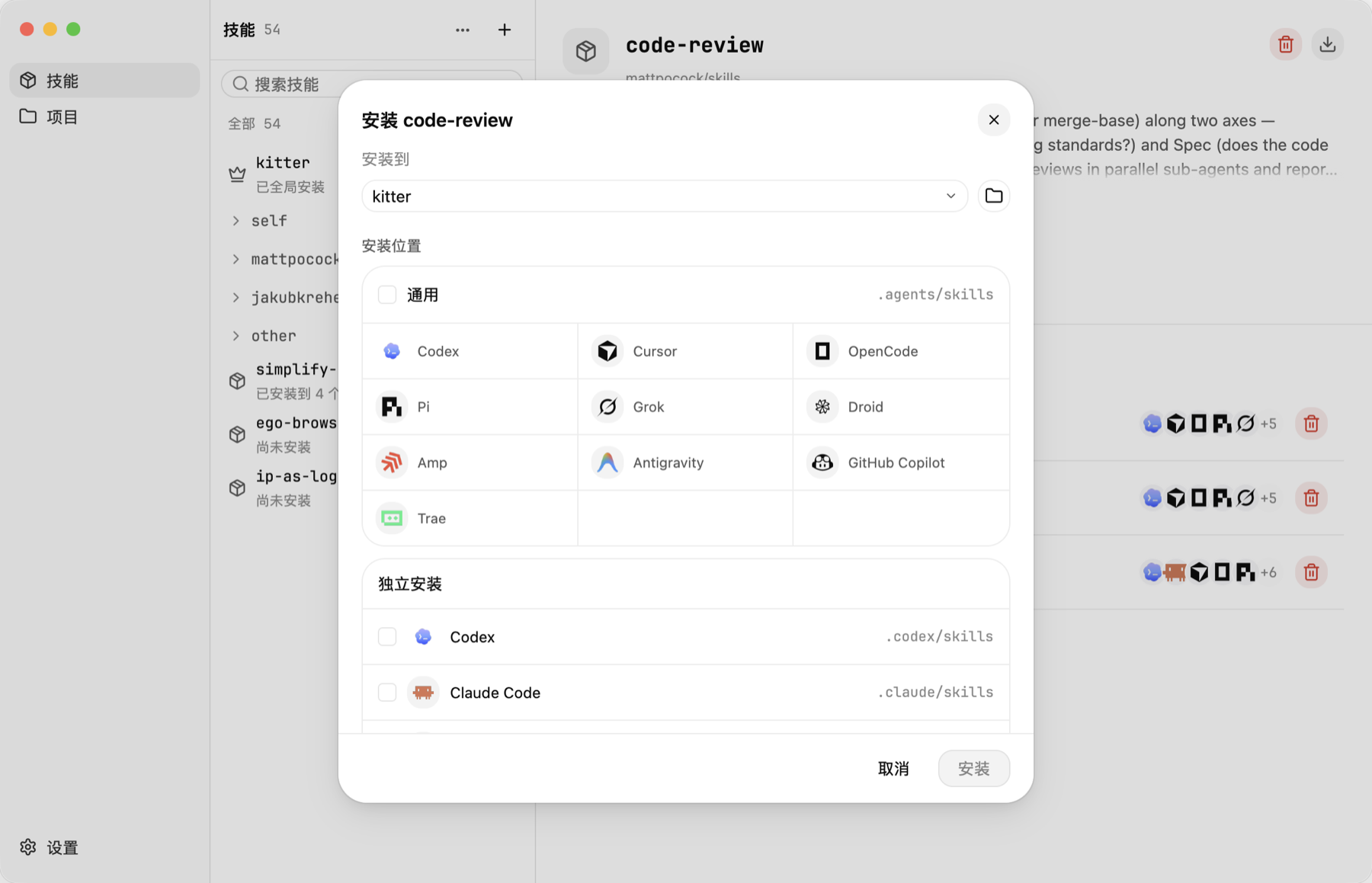
Per-project installs:Pick a Skill, pick a project, then install into the shared .agents/skills directory or an Agent-specific one; every project gets its own combination, while the Skills you use everywhere go in at user level.
Links, not copies:Installing creates a managed link back to the shared source, so several projects run the same Skill without drifting apart between updates.
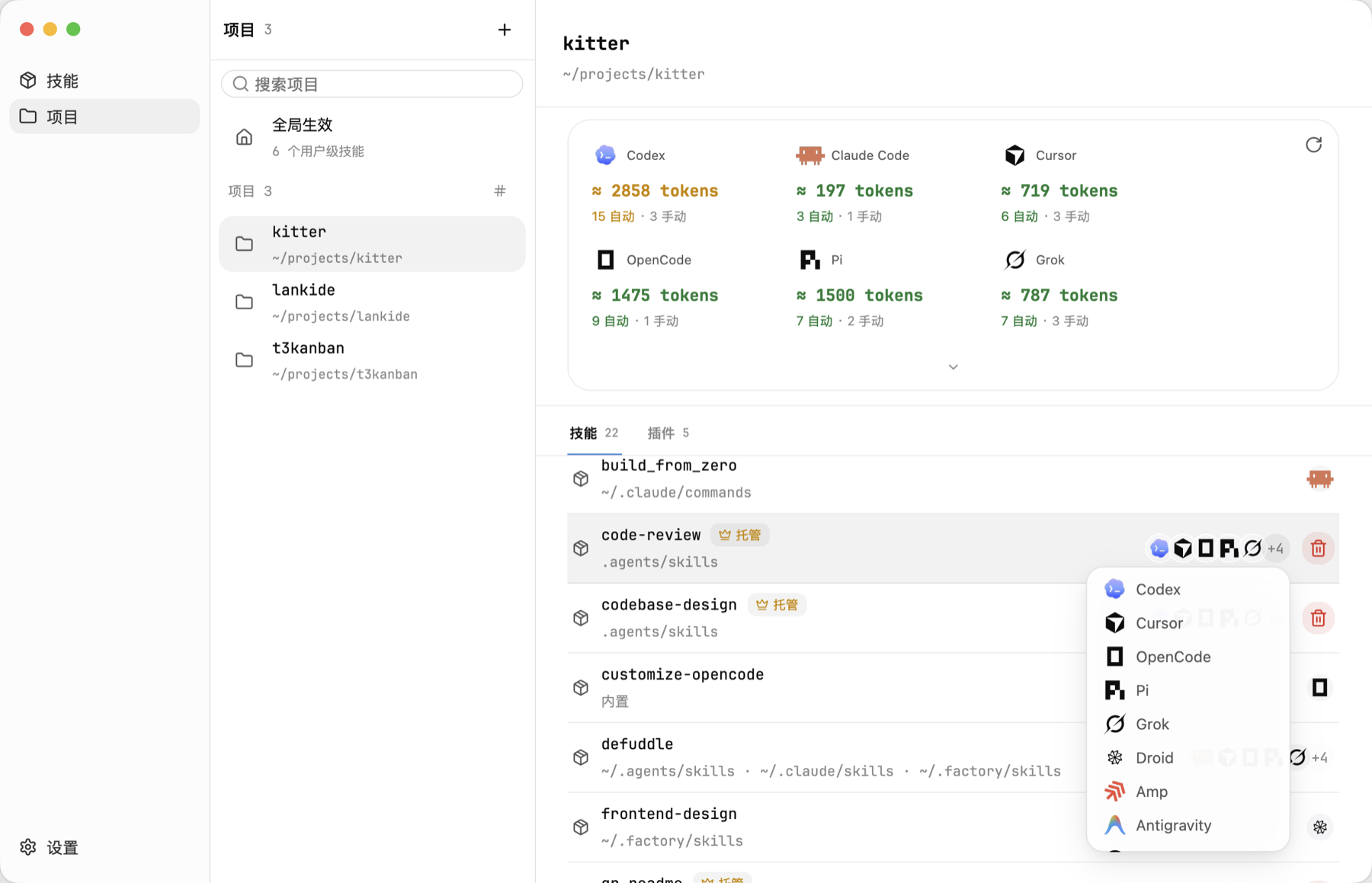
Effective Skill list:The project view shows every Skill an Agent can actually discover — project level, parent directories, user level, built-in and plugin-provided — and where each one came from.
Context cost estimates:A per-Agent token estimate makes it easy to spot Skills that quietly eat context without earning it.
Update once:Run Check for updates in the desktop app, or kitter check and kitter update from the terminal; every managed project keeps pointing at the same maintained source.
Standalone CLI and bundled Skill:The desktop app is optional — put kitter on your PATH and you are set. A bundled kitter Skill also lets an Agent inspect the machine, add sources, install the right combination and verify the result on its own.
Open source:The source code is hosted on GitHub, so developers can study the implementation, contribute, or adapt it to their own needs.
Kitter is a desktop app, with a matching command-line build, for managing Agent Skills across projects. The idea is simple: keep every Skill in one library and give each project only the ones it actually needs. Anyone who has used Claude Code, Codex or Cursor for a while knows the problem — the same Skill copied into eight different projects, every edit needing eight manual syncs, and no clear picture of what each Agent is really loading.
Kitter keeps a single maintained source per Skill and installs managed links rather than independent copies, so one update reaches every linked project at once. Skills already scattered around your disk do not need moving either: adopt them through the Existing installations view. The whole thing is written in Rust with GPUI, which keeps the interface light and startup quick. Apache-2.0, with builds for macOS, Windows and Linux, though the Linux desktop build is still short on real-world validation. The macOS app is not yet signed with an Apple Developer ID, so the first launch needs manual approval in System Settings.
Features
One Skill library:Add Skills from a local folder, GitHub, a skills.sh-compatible source or a Claude plugin source, and maintain all of them in a single place.
Per-project installs:Pick a Skill, pick a project, then install into the shared .agents/skills directory or an Agent-specific one; every project gets its own combination, while the Skills you use everywhere go in at user level.
Links, not copies:Installing creates a managed link back to the shared source, so several projects run the same Skill without drifting apart between updates.
Effective Skill list:The project view shows every Skill an Agent can actually discover — project level, parent directories, user level, built-in and plugin-provided — and where each one came from.
Context cost estimates:A per-Agent token estimate makes it easy to spot Skills that quietly eat context without earning it.
Update once:Run Check for updates in the desktop app, or kitter check and kitter update from the terminal; every managed project keeps pointing at the same maintained source.
Standalone CLI and bundled Skill:The desktop app is optional — put kitter on your PATH and you are set. A bundled kitter Skill also lets an Agent inspect the machine, add sources, install the right combination and verify the result on its own.
Open source:The source code is hosted on GitHub, so developers can study the implementation, contribute, or adapt it to their own needs.