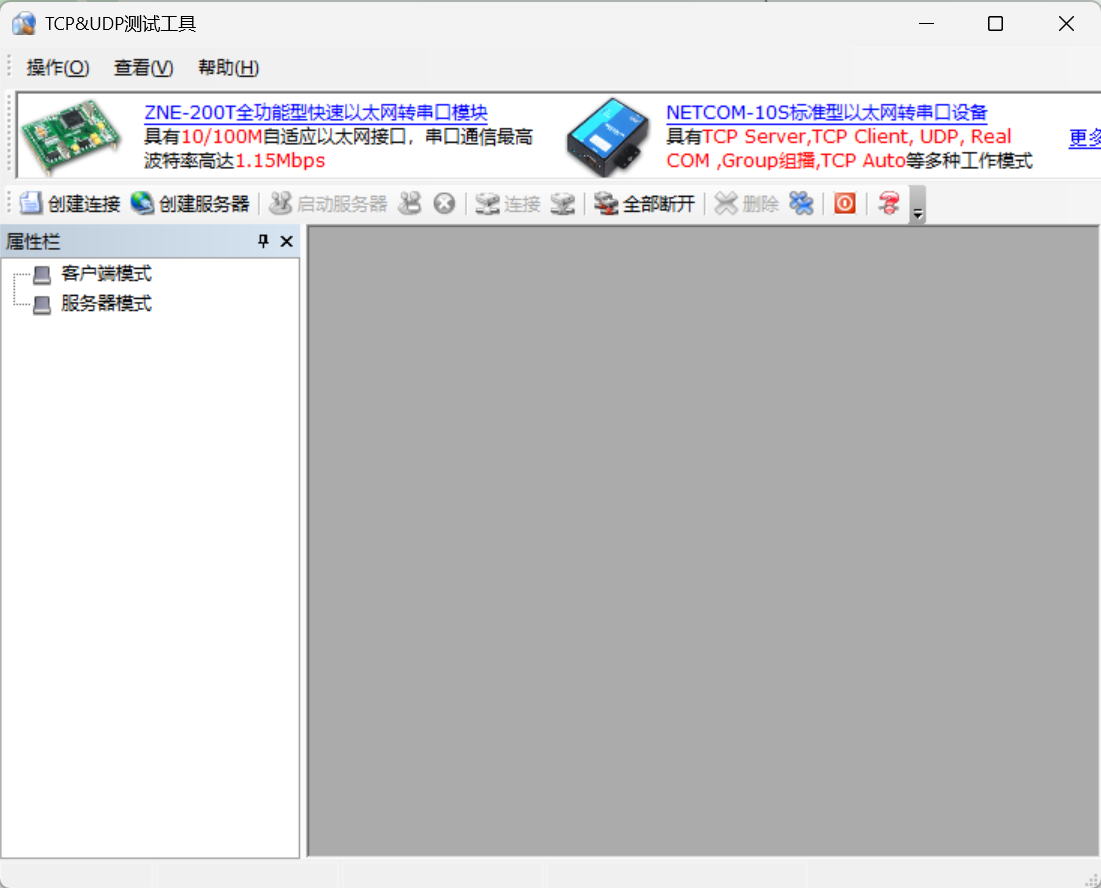
TCP & UDP Testing Tool
Network Debugging Software
Loading…
Description
# TCP Testing Tool # UDP Testing Tool # Network Debugging # Network Protocol Analysis # Performance Testing # Wireshark
The TCP and UDP testing tool is a professional network protocol testing software designed for network development, operation and maintenance, and communication testing scenarios. It provides dual protocol testing for TCP and UDP, performance analysis, protocol validation, fault diagnosis, and data packet capturing capabilities. The software supports dual-mode operation as both client and server, simulating high-concurrency network environments, and real-time monitoring of key metrics such as connection establishment, data transmission, latency, packet loss, and throughput, generating detailed test reports. It is an essential auxiliary tool for network development, device debugging, protocol validation, and performance testing.
- Client/Server Dual Mode: Can operate as either a client or server, facilitating the setup of a complete network testing environment.
- High Concurrency Connection Simulation: Supports multi-threaded concurrent management, allowing simultaneous simulation of a large number of TCP connections or UDP sessions, suitable for stress testing.
- TCP Three-Way Handshake Analysis: Visual display of the handshake process including SYN, SYN-ACK, ACK, recording key parameters such as sequence number, acknowledgment number, and window size.
- Customizable TCP Parameters: Supports configuration of extended parameters such as MSS, SACK, TCP timestamps, and initial sequence numbers.
- Throughput Performance Statistics: Real-time statistics of sending rate, receiving rate, RTT, retransmission count, out-of-order packets, duplicate ACKs, zero window probes, and other performance metrics.
- UDP Data Validation: Supports sending fixed-length and variable-length packets, automatically verifying data integrity, detecting packet loss, out-of-order delivery, and data errors.
- High Precision Latency Testing: Calculates one-way latency, two-way latency, and network jitter based on send and receive timestamps.
- IPv4/IPv6 Support: Supports dual-stack network testing, allowing configuration of source address, destination address, TTL, ToS, DF, and other network parameters.
- Complete Log Recording: Saves detailed test logs including timestamps, protocol types, ports, data lengths, event statuses, and rich information for subsequent analysis.
- Real-Time Visual Monitoring: Provides protocol status panels, traffic dashboards, connection topology diagrams, and error statistics views to intuitively display network operating status.
- RFC Compliance Testing: Tests protocol implementations against standards such as RFC 793, RFC 768, RFC 1122, and outputs warning information if they do not comply.
- Command Line Automation Testing: Supports a rich set of CLI parameters, allowing configuration of connection counts, test duration, packet sizes, error injection, and export formats.
- PCAP Packet Capture Export: Supports exporting standard PCAP files, which can be analyzed directly using tools like Wireshark.
- Cross-Platform Operation: Compatible with Windows, Linux, and macOS systems, supporting both x86_64 and ARM64 architectures.
- High-Performance Architecture: Utilizes zero-copy and other optimization techniques to maintain low CPU usage and memory consumption under high-load conditions.
- Network Security Testing: Supports NAT type detection, STUN/TURN testing, and TLS 1.2/1.3 encrypted connection validation.
- Test Report Generation: Supports exporting reports in PDF, CSV, JSON, XML formats, with customizable templates, digital signatures, and device information.
- Rich Help Documentation: Includes typical test cases, troubleshooting guides, error code explanations, and solutions for network issues, facilitating quick onboarding.
Software Features
- Dual Protocol Testing (TCP/UDP): Supports sending, receiving, and performance validation for both TCP and UDP mainstream transport protocols.- Client/Server Dual Mode: Can operate as either a client or server, facilitating the setup of a complete network testing environment.
- High Concurrency Connection Simulation: Supports multi-threaded concurrent management, allowing simultaneous simulation of a large number of TCP connections or UDP sessions, suitable for stress testing.
- TCP Three-Way Handshake Analysis: Visual display of the handshake process including SYN, SYN-ACK, ACK, recording key parameters such as sequence number, acknowledgment number, and window size.
- Customizable TCP Parameters: Supports configuration of extended parameters such as MSS, SACK, TCP timestamps, and initial sequence numbers.
- Throughput Performance Statistics: Real-time statistics of sending rate, receiving rate, RTT, retransmission count, out-of-order packets, duplicate ACKs, zero window probes, and other performance metrics.
- UDP Data Validation: Supports sending fixed-length and variable-length packets, automatically verifying data integrity, detecting packet loss, out-of-order delivery, and data errors.
- High Precision Latency Testing: Calculates one-way latency, two-way latency, and network jitter based on send and receive timestamps.
- IPv4/IPv6 Support: Supports dual-stack network testing, allowing configuration of source address, destination address, TTL, ToS, DF, and other network parameters.
- Complete Log Recording: Saves detailed test logs including timestamps, protocol types, ports, data lengths, event statuses, and rich information for subsequent analysis.
- Real-Time Visual Monitoring: Provides protocol status panels, traffic dashboards, connection topology diagrams, and error statistics views to intuitively display network operating status.
- RFC Compliance Testing: Tests protocol implementations against standards such as RFC 793, RFC 768, RFC 1122, and outputs warning information if they do not comply.
- Command Line Automation Testing: Supports a rich set of CLI parameters, allowing configuration of connection counts, test duration, packet sizes, error injection, and export formats.
- PCAP Packet Capture Export: Supports exporting standard PCAP files, which can be analyzed directly using tools like Wireshark.
- Cross-Platform Operation: Compatible with Windows, Linux, and macOS systems, supporting both x86_64 and ARM64 architectures.
- High-Performance Architecture: Utilizes zero-copy and other optimization techniques to maintain low CPU usage and memory consumption under high-load conditions.
- Network Security Testing: Supports NAT type detection, STUN/TURN testing, and TLS 1.2/1.3 encrypted connection validation.
- Test Report Generation: Supports exporting reports in PDF, CSV, JSON, XML formats, with customizable templates, digital signatures, and device information.
- Rich Help Documentation: Includes typical test cases, troubleshooting guides, error code explanations, and solutions for network issues, facilitating quick onboarding.