Description
Old photos, small icons and low-res images saved off the web turn to mosaic when enlarged. Upscayl flips that with AI — enlarge a low-res image 2 to 16 times, with detail regenerated by AI so edges stay sharp instead of smeared — recovering usable sharpness from old photos and small images.
Open-source and free, on Windows, macOS and Linux, based on open models like Real-ESRGAN, running entirely locally with no upload.
AI super-resolution: deep-learning models enlarge images several times over — not a plain stretch but a reconstruction of texture and edges that stays sharp.
Multiple models: built-in models for realistic photos, digital art and anime let you pick the one that fits the image type.
Runs locally: all processing happens on your own computer with nothing uploaded, keeping it private and offline-capable.
Batch upscaling: enlarge a whole folder at once, easing large sets of old photos or assets.
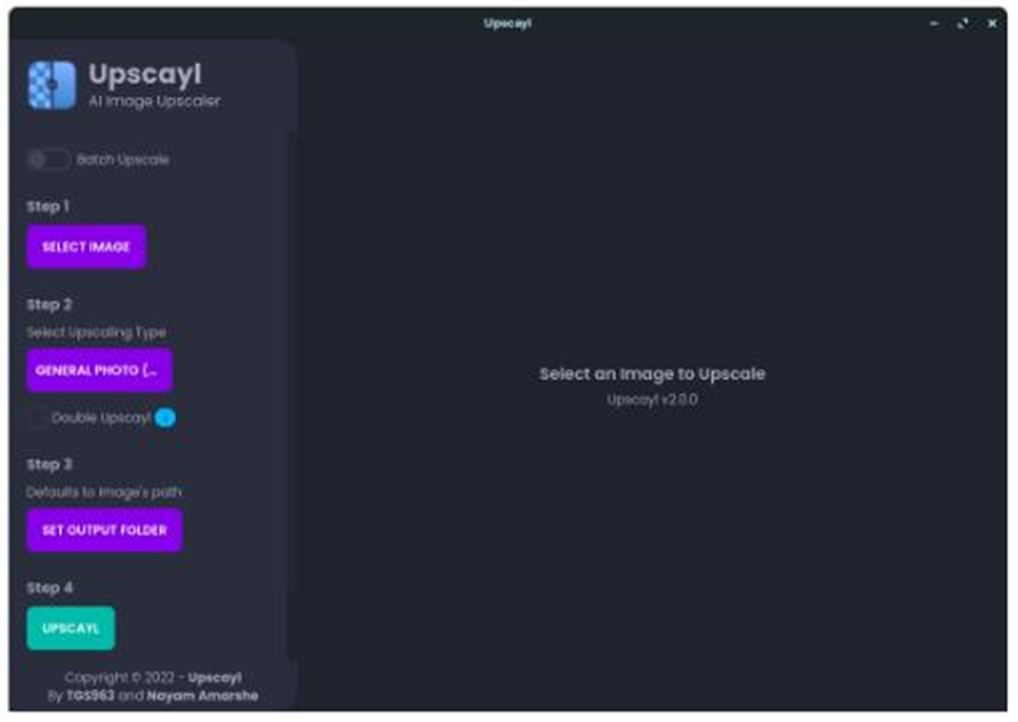
Clean cross-platform UI: a tidy four-step interface — pick image, pick model, pick output, run — that a beginner can use right away.
Open-source and free, on Windows, macOS and Linux, based on open models like Real-ESRGAN, running entirely locally with no upload.
Features
AI super-resolution: deep-learning models enlarge images several times over — not a plain stretch but a reconstruction of texture and edges that stays sharp.
Multiple models: built-in models for realistic photos, digital art and anime let you pick the one that fits the image type.
Runs locally: all processing happens on your own computer with nothing uploaded, keeping it private and offline-capable.
Batch upscaling: enlarge a whole folder at once, easing large sets of old photos or assets.
Clean cross-platform UI: a tidy four-step interface — pick image, pick model, pick output, run — that a beginner can use right away.