Description
The tiring part of getting AI help with code is rarely the thinking — it is the hauling. You copy a block out of the editor into a chat box, it hands back a block of code, and you work out which file and which line it belongs to. Once a change spans three or four files, the shuttling costs more than writing it yourself, and it is easy to paste the right code into the wrong place.
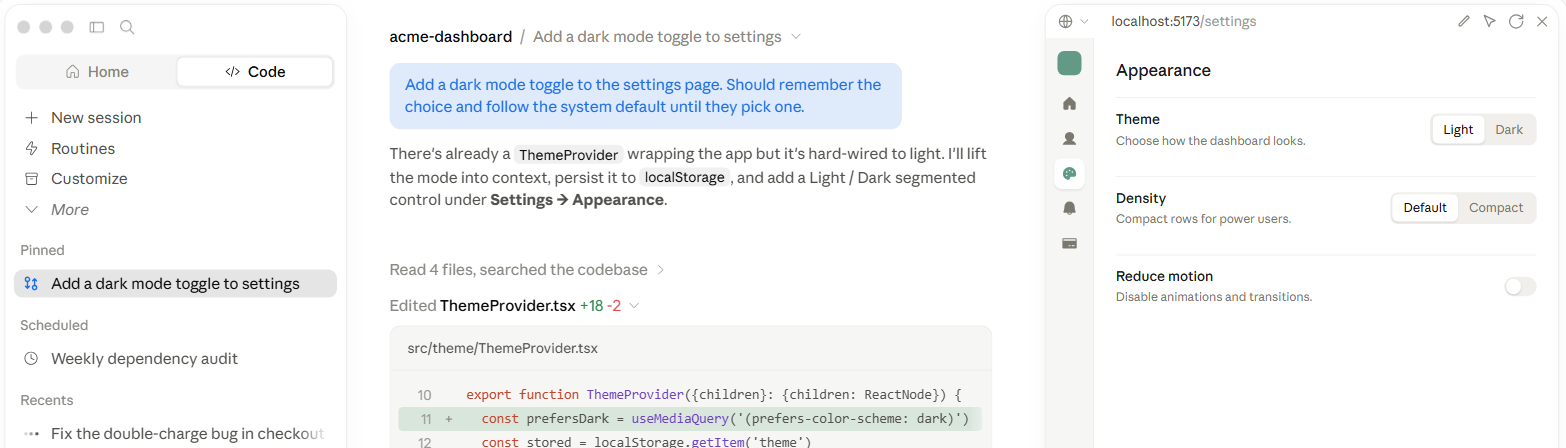
Claude Code is Anthropic's coding agent, and it runs in your terminal. It reads the repository, edits the files and runs the tests itself. Ask for a dark mode toggle on the settings page that remembers the user's choice, and it searches the codebase for the theme provider you already have, says which files it intends to touch, then puts the diff in front of you for approval.
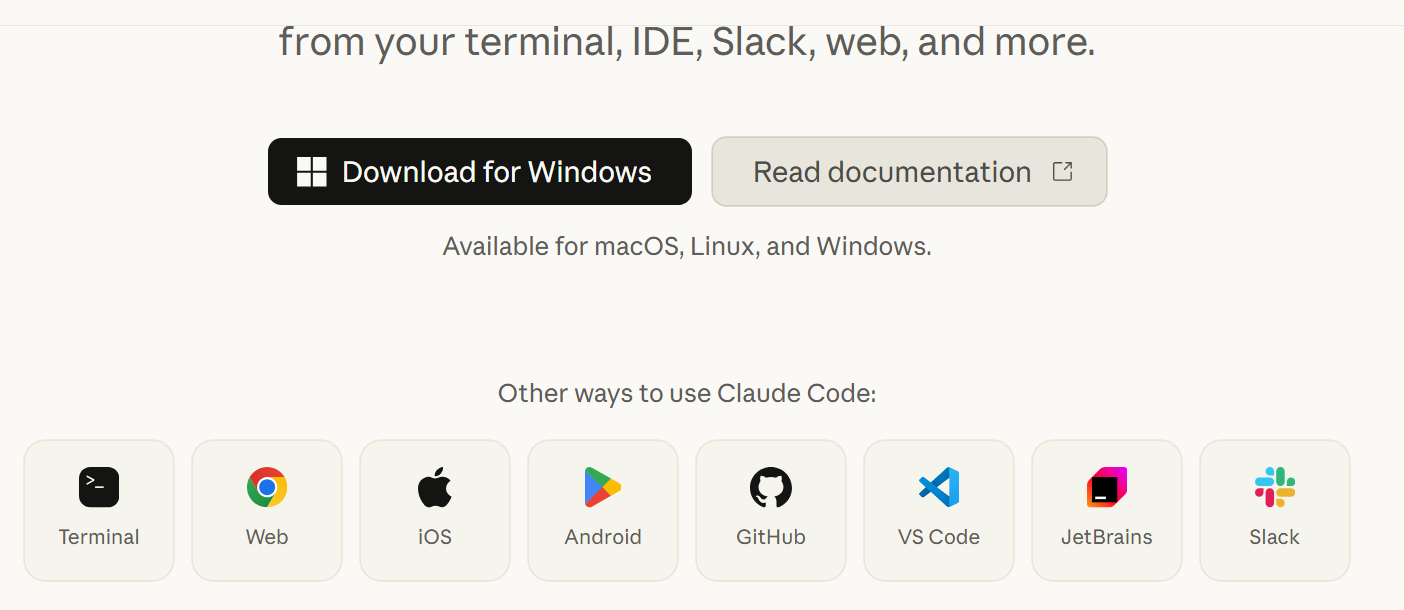
Beyond the terminal it works in VS Code, JetBrains, GitHub, Slack, the web and on phones, with installers for macOS, Linux and Windows. A Claude subscription or API credit is required.
Lives in the terminal: one command in your project directory starts a session. No switching editors, no IDE plugin to install, and it works the same over SSH — you can debug on the server without pulling the code back down first.
Finds its own context: you do not hand it a list of files. It searches the repository, follows import chains into related code, and assembles the context it needs. A few hundred thousand lines is not a reason to scope things down for it in advance.
Asks before it acts: every file write and every command is shown as a concrete diff or command line and waits for your approval. Operations you trust can be added to an allow list so they stop interrupting, and the permission model tightens or loosens as you prefer.
Runs the whole loop: write code, run the tests, read the failure, fix, run again, until it passes. It also reads CI logs to find why a build broke, opens branches, and writes commit messages and pull request descriptions rather than stopping at a snippet.
Project memory in CLAUDE.md: drop a CLAUDE.md at the repository root describing the package manager, how tests are run and the house style, and it loads on every session. Nobody restates the same conventions each time, and the whole team shares one copy.
Skills and plugins: write a SKILL.md capturing how a class of task should be done and it loads automatically when the work matches, which is a practical way to freeze a senior engineer's habits into something reusable. Third-party skill packs install from a plugin marketplace.
Subagents in parallel: independent pieces of work can be split across several subagents running at once, each in its own context, so the main conversation collects conclusions instead of a pile of intermediate output. Search-heavy tasks benefit most.
Connects to your other systems: through the Model Context Protocol it reaches databases, Figma, Sentry, Jira and similar services, so it can look up a production error or read a design directly rather than relying on your summary of it.
More than one way in: alongside the terminal there are VS Code and JetBrains extensions, a web app, iOS and Android clients, plus calling it on a pull request in GitHub and handing it work from Slack.
Claude Code is Anthropic's coding agent, and it runs in your terminal. It reads the repository, edits the files and runs the tests itself. Ask for a dark mode toggle on the settings page that remembers the user's choice, and it searches the codebase for the theme provider you already have, says which files it intends to touch, then puts the diff in front of you for approval.
Beyond the terminal it works in VS Code, JetBrains, GitHub, Slack, the web and on phones, with installers for macOS, Linux and Windows. A Claude subscription or API credit is required.
Features
Lives in the terminal: one command in your project directory starts a session. No switching editors, no IDE plugin to install, and it works the same over SSH — you can debug on the server without pulling the code back down first.
Finds its own context: you do not hand it a list of files. It searches the repository, follows import chains into related code, and assembles the context it needs. A few hundred thousand lines is not a reason to scope things down for it in advance.
Asks before it acts: every file write and every command is shown as a concrete diff or command line and waits for your approval. Operations you trust can be added to an allow list so they stop interrupting, and the permission model tightens or loosens as you prefer.
Runs the whole loop: write code, run the tests, read the failure, fix, run again, until it passes. It also reads CI logs to find why a build broke, opens branches, and writes commit messages and pull request descriptions rather than stopping at a snippet.
Project memory in CLAUDE.md: drop a CLAUDE.md at the repository root describing the package manager, how tests are run and the house style, and it loads on every session. Nobody restates the same conventions each time, and the whole team shares one copy.
Skills and plugins: write a SKILL.md capturing how a class of task should be done and it loads automatically when the work matches, which is a practical way to freeze a senior engineer's habits into something reusable. Third-party skill packs install from a plugin marketplace.
Subagents in parallel: independent pieces of work can be split across several subagents running at once, each in its own context, so the main conversation collects conclusions instead of a pile of intermediate output. Search-heavy tasks benefit most.
Connects to your other systems: through the Model Context Protocol it reaches databases, Figma, Sentry, Jira and similar services, so it can look up a production error or read a design directly rather than relying on your summary of it.
More than one way in: alongside the terminal there are VS Code and JetBrains extensions, a web app, iOS and Android clients, plus calling it on a pull request in GitHub and handing it work from Slack.