Description
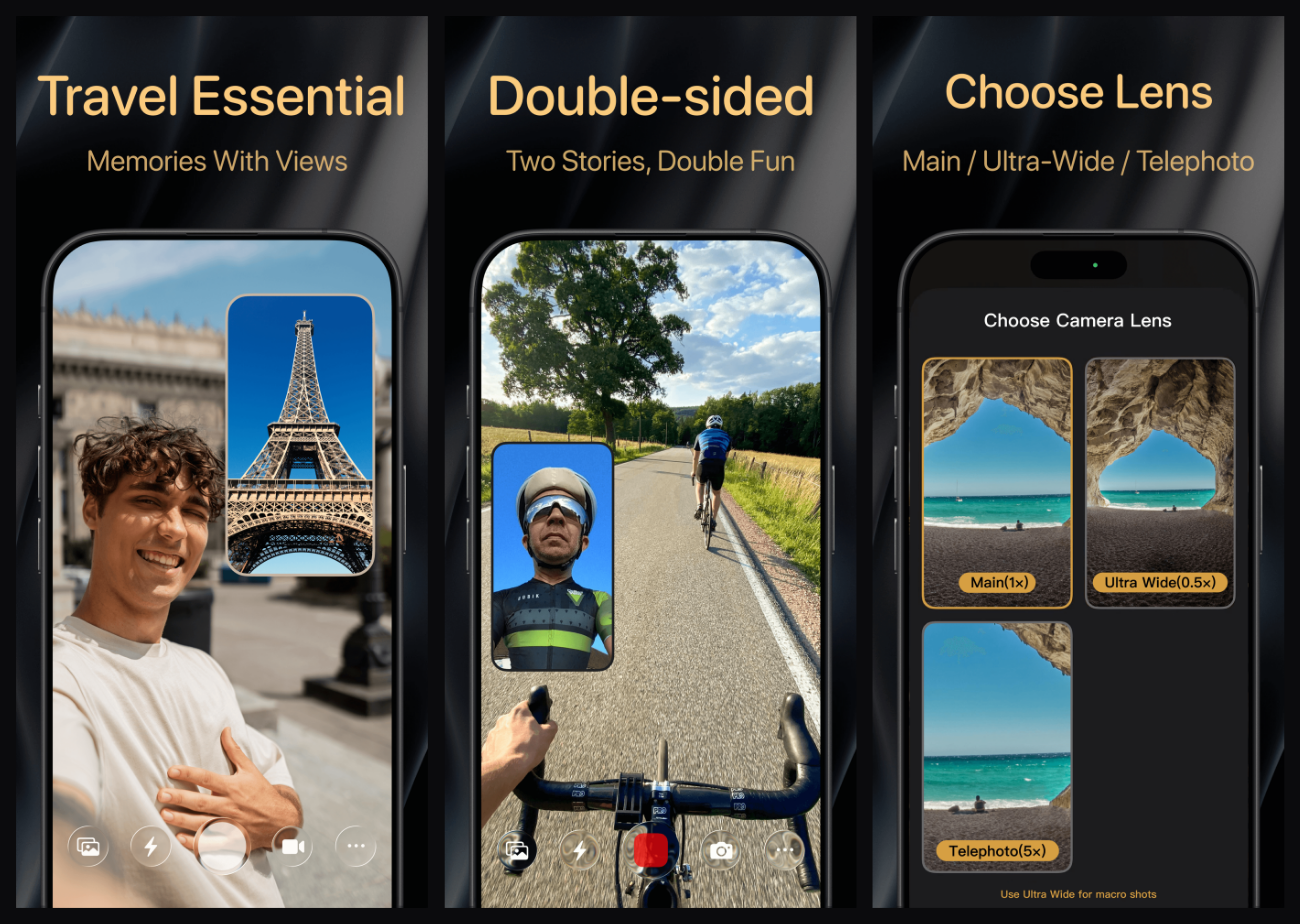
The scenery on a ride is exactly right and you want your own reaction in the shot too — so you film the road, flip the camera, film yourself, and then cut the two together at home. Or your kid laughs out loud for the first time and you get to choose: film the kid, or film your face. One or the other.
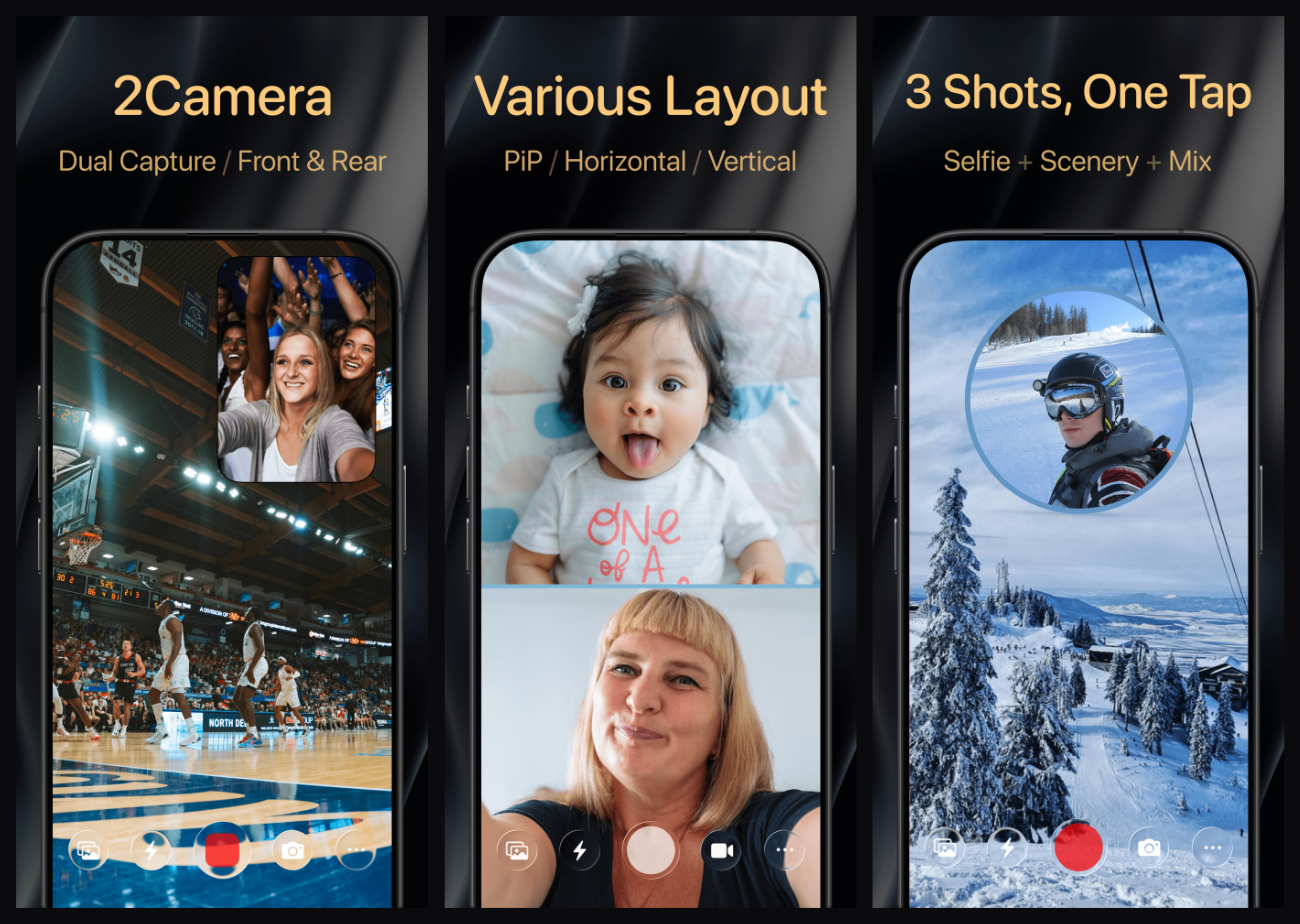
2Camera exists for that one thing: record with the front and back cameras at the same time. Picture-in-picture, split top/bottom, split left/right, or just one camera — four layouts, switchable any time. Stills go further: one shutter press saves the front shot, the back shot and the merged frame, so you pick later.
The PiP window drags anywhere and double-taps to swap which camera is inside; it can be portrait 9:16, landscape 16:9, rectangle, square or circle in five sizes, with the border colour and transparency up to you. Both video and stills work in portrait and landscape.
Free on iOS with a Pro purchase unlocking everything ($11.99 lifetime / $6.99 yearly / $0.99 monthly). Needs iOS 17.1 or later, runs on iPhone 11 and newer plus iPad Pro/Air/mini, and ships in 17 languages.
Four layouts: picture-in-picture, top/bottom split, left/right split or single camera — video and stills, portrait and landscape.
Three shots per press: front, back and merged images all saved at once, so nothing has to be composited afterwards.
A PiP window you control: drag it anywhere, double-tap to flip which camera is inside, and choose 9:16, 16:9, rectangle, square or circle in XS through XL, with adjustable border colour and window transparency.
Quality and audio: 4K and 1080P at 24, 30 or 60 FPS; AAC or Apple Lossless audio in mono or stereo.
Lenses and controls: main, ultra-wide or telephoto; independent exposure on front and rear; quick white balance between cool, natural and warm; focus lock while recording; volume keys as shutter and zoom; pinch to zoom in the preview.
Stabilisation: standard, cinematic and enhanced video stabilisation.
Watermarks: stamp time, location, latitude/longitude, altitude, speed, pace, distance, camera and device info onto video, plus custom text, with optional GPS metadata.
Teleprompter: adjustable font size, scroll speed, position, rotation and colour so you can read while looking at the lens.
Live Concert Mode: blurs the front preview so your own face is not on display while filming in public; the front camera also has simulated HDR fill light.
Quick launch: lock screen and home widgets, Control Center shortcuts and Camera Control, plus 3, 5 or 10 second countdown recording.
Details: grid lines, front camera mirroring, haptics, 12 theme colours, custom app icons, aspect ratios of 16:9, 4:3, 5:4, 1:1 or full screen, iOS 26 Liquid Glass support and iPad windowed mode and Stage Manager.
2Camera exists for that one thing: record with the front and back cameras at the same time. Picture-in-picture, split top/bottom, split left/right, or just one camera — four layouts, switchable any time. Stills go further: one shutter press saves the front shot, the back shot and the merged frame, so you pick later.
The PiP window drags anywhere and double-taps to swap which camera is inside; it can be portrait 9:16, landscape 16:9, rectangle, square or circle in five sizes, with the border colour and transparency up to you. Both video and stills work in portrait and landscape.
Free on iOS with a Pro purchase unlocking everything ($11.99 lifetime / $6.99 yearly / $0.99 monthly). Needs iOS 17.1 or later, runs on iPhone 11 and newer plus iPad Pro/Air/mini, and ships in 17 languages.
Features
Four layouts: picture-in-picture, top/bottom split, left/right split or single camera — video and stills, portrait and landscape.
Three shots per press: front, back and merged images all saved at once, so nothing has to be composited afterwards.
A PiP window you control: drag it anywhere, double-tap to flip which camera is inside, and choose 9:16, 16:9, rectangle, square or circle in XS through XL, with adjustable border colour and window transparency.
Quality and audio: 4K and 1080P at 24, 30 or 60 FPS; AAC or Apple Lossless audio in mono or stereo.
Lenses and controls: main, ultra-wide or telephoto; independent exposure on front and rear; quick white balance between cool, natural and warm; focus lock while recording; volume keys as shutter and zoom; pinch to zoom in the preview.
Stabilisation: standard, cinematic and enhanced video stabilisation.
Watermarks: stamp time, location, latitude/longitude, altitude, speed, pace, distance, camera and device info onto video, plus custom text, with optional GPS metadata.
Teleprompter: adjustable font size, scroll speed, position, rotation and colour so you can read while looking at the lens.
Live Concert Mode: blurs the front preview so your own face is not on display while filming in public; the front camera also has simulated HDR fill light.
Quick launch: lock screen and home widgets, Control Center shortcuts and Camera Control, plus 3, 5 or 10 second countdown recording.
Details: grid lines, front camera mirroring, haptics, 12 theme colours, custom app icons, aspect ratios of 16:9, 4:3, 5:4, 1:1 or full screen, iOS 26 Liquid Glass support and iPad windowed mode and Stage Manager.