Description
< #Apple Health #Data Visualization #Privacy #Local Only #Dashboard #macOS #Open Source
HealthAtlas is a macOS app that reads the Apple Health export you pulled off your iPhone and turns that unwieldy raw file into charts and a dashboard you can actually read. It starts empty and imports only the file you pick, then focuses on trends and personal patterns rather than spreading raw records across a table.
Privacy is the premise, not a feature: no account, no cloud sync, no analytics and no ad tracking, and imported data lives only in memory for the current session — the app opens empty again next time. It does not connect to HealthKit and deliberately skips the clinical records file inside the export. If you enable the update check, it requests only the public GitHub release list and never sends health data. The author is also explicit that this is not a diagnostic tool: the app describes what is in your data without rating your health. Written in Swift, GPL-3.0.
Import a local export: Takes an Apple Health ZIP archive or a plain
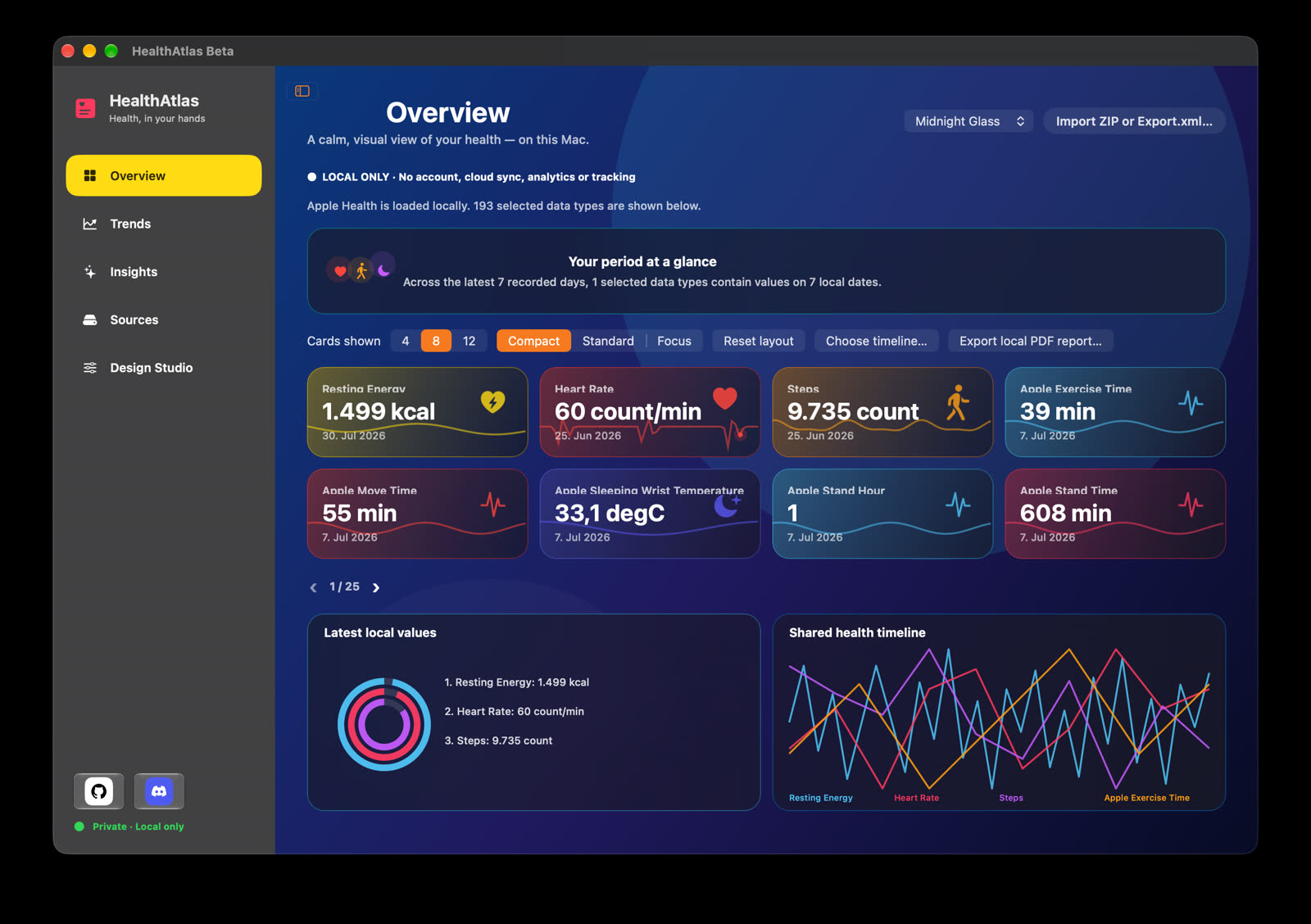
Configurable overview dashboard: Choose 4, 8 or 12 cards along with their density and order, and keep separate pins and local ordering for the Overview, Trends and Insights screens.
Shared timeline: Put one to four data types on the same timeline to see how different metrics move against each other.
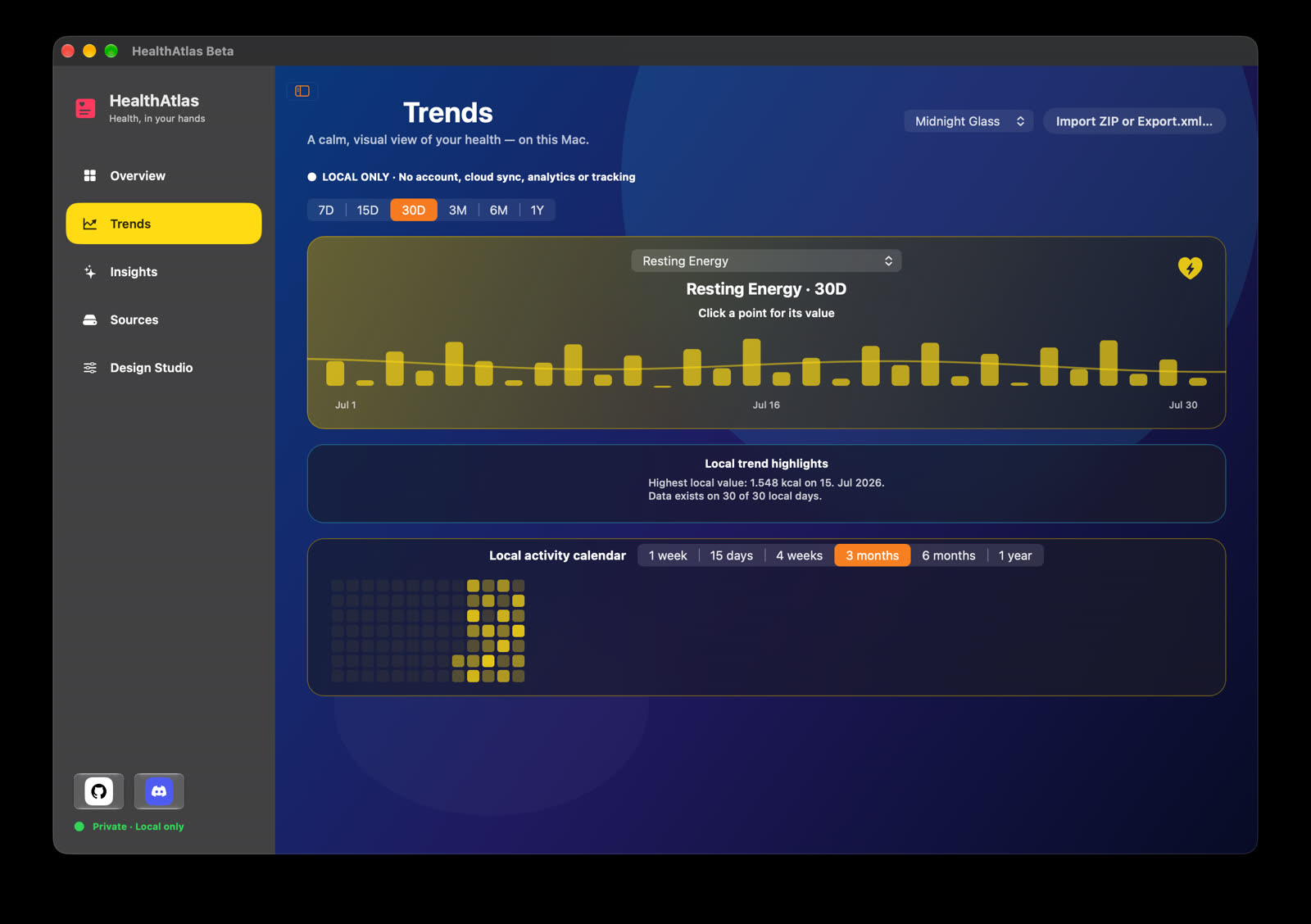
Trends and period comparison: Follow a metric across 7D, 15D, 30D, 3M, 6M and 1Y ranges, where points are clickable and a local calendar jumps to a specific date. The current period can be compared with the one immediately before it, or a metric opened in a full-screen focus view.
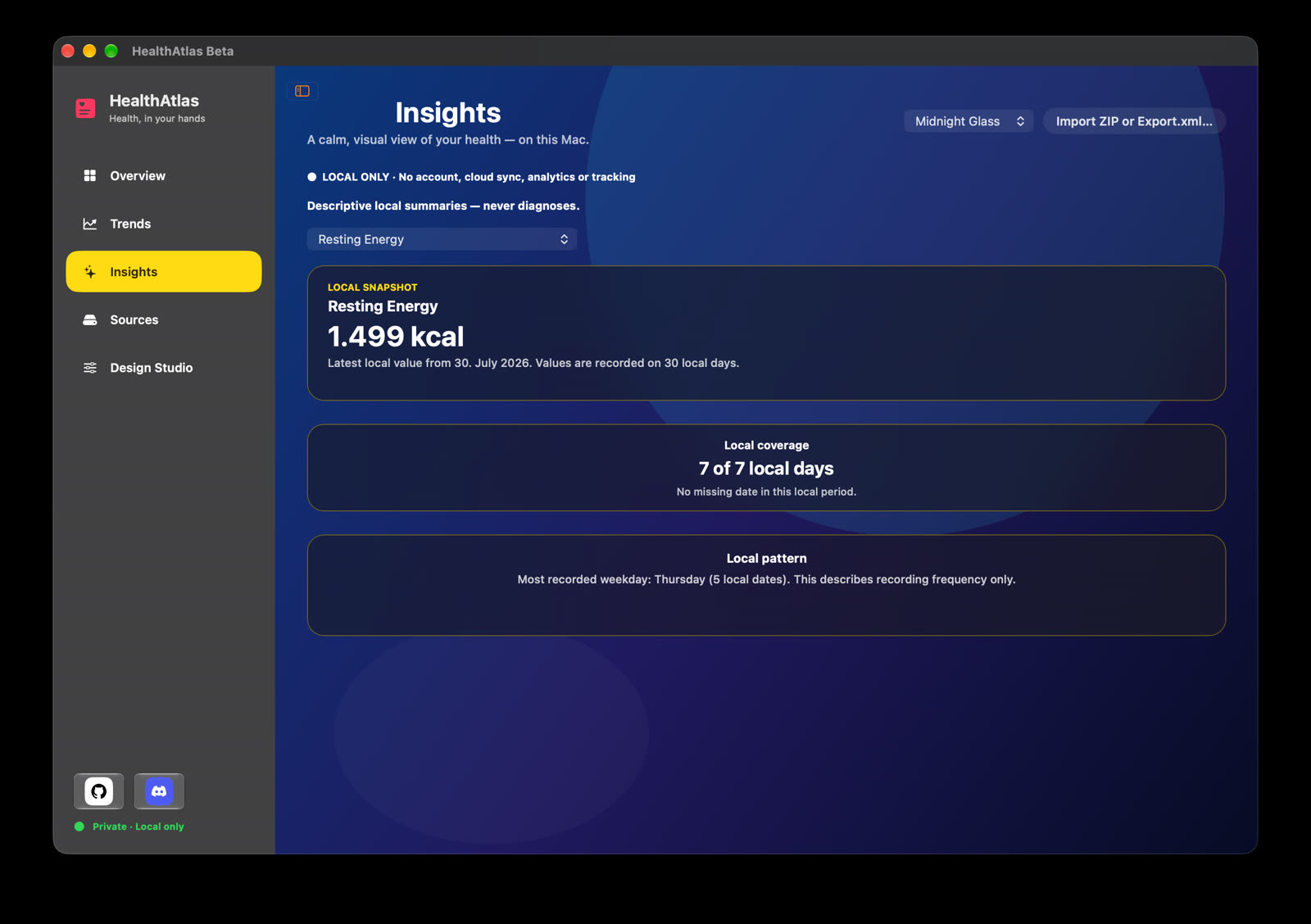
Insights: Local snapshots, coverage and recording patterns — which days have data and how densely it was recorded — presented descriptively, with no diagnoses or health ratings.
PDF report export: Generate a local PDF whose period, data types and theme are chosen independently of the on-screen view.
Interface and themes: German and English interface languages, four glass themes, and an update check against the public GitHub releases that runs manually or on a schedule you set.
Synthetic demo data included: The repository ships a fully fictional Apple Health export covering the supported data types, so you can try everything without touching your own health records.
About installing: Official builds are ad-hoc signed, so Gatekeeper may block the first launch; the README walks through allowing it under System Settings → Privacy & Security, and the repo scripts can build it yourself instead.
Open source project: The source code is hosted on GitHub, so developers can study the implementation, contribute, or customize it for their own needs.
HealthAtlas is a macOS app that reads the Apple Health export you pulled off your iPhone and turns that unwieldy raw file into charts and a dashboard you can actually read. It starts empty and imports only the file you pick, then focuses on trends and personal patterns rather than spreading raw records across a table.
Privacy is the premise, not a feature: no account, no cloud sync, no analytics and no ad tracking, and imported data lives only in memory for the current session — the app opens empty again next time. It does not connect to HealthKit and deliberately skips the clinical records file inside the export. If you enable the update check, it requests only the public GitHub release list and never sends health data. The author is also explicit that this is not a diagnostic tool: the app describes what is in your data without rating your health. Written in Swift, GPL-3.0.
Features
Import a local export: Takes an Apple Health ZIP archive or a plain
Export.xml, then lets you browse the recognised data types by category or search and select the ones worth showing.Configurable overview dashboard: Choose 4, 8 or 12 cards along with their density and order, and keep separate pins and local ordering for the Overview, Trends and Insights screens.
Shared timeline: Put one to four data types on the same timeline to see how different metrics move against each other.
Trends and period comparison: Follow a metric across 7D, 15D, 30D, 3M, 6M and 1Y ranges, where points are clickable and a local calendar jumps to a specific date. The current period can be compared with the one immediately before it, or a metric opened in a full-screen focus view.
Insights: Local snapshots, coverage and recording patterns — which days have data and how densely it was recorded — presented descriptively, with no diagnoses or health ratings.
PDF report export: Generate a local PDF whose period, data types and theme are chosen independently of the on-screen view.
Interface and themes: German and English interface languages, four glass themes, and an update check against the public GitHub releases that runs manually or on a schedule you set.
Synthetic demo data included: The repository ships a fully fictional Apple Health export covering the supported data types, so you can try everything without touching your own health records.
About installing: Official builds are ad-hoc signed, so Gatekeeper may block the first launch; the README walks through allowing it under System Settings → Privacy & Security, and the repo scripts can build it yourself instead.
Open source project: The source code is hosted on GitHub, so developers can study the implementation, contribute, or customize it for their own needs.